
Live polls and keep teaching after, or hand off Figma and PPTX: Prezi vs Snapdeck
After AI builds a deck, work remains. Do you need live audience response in the room and learning that continues after the session—or is a Figma or PPTX handoff the finish line?
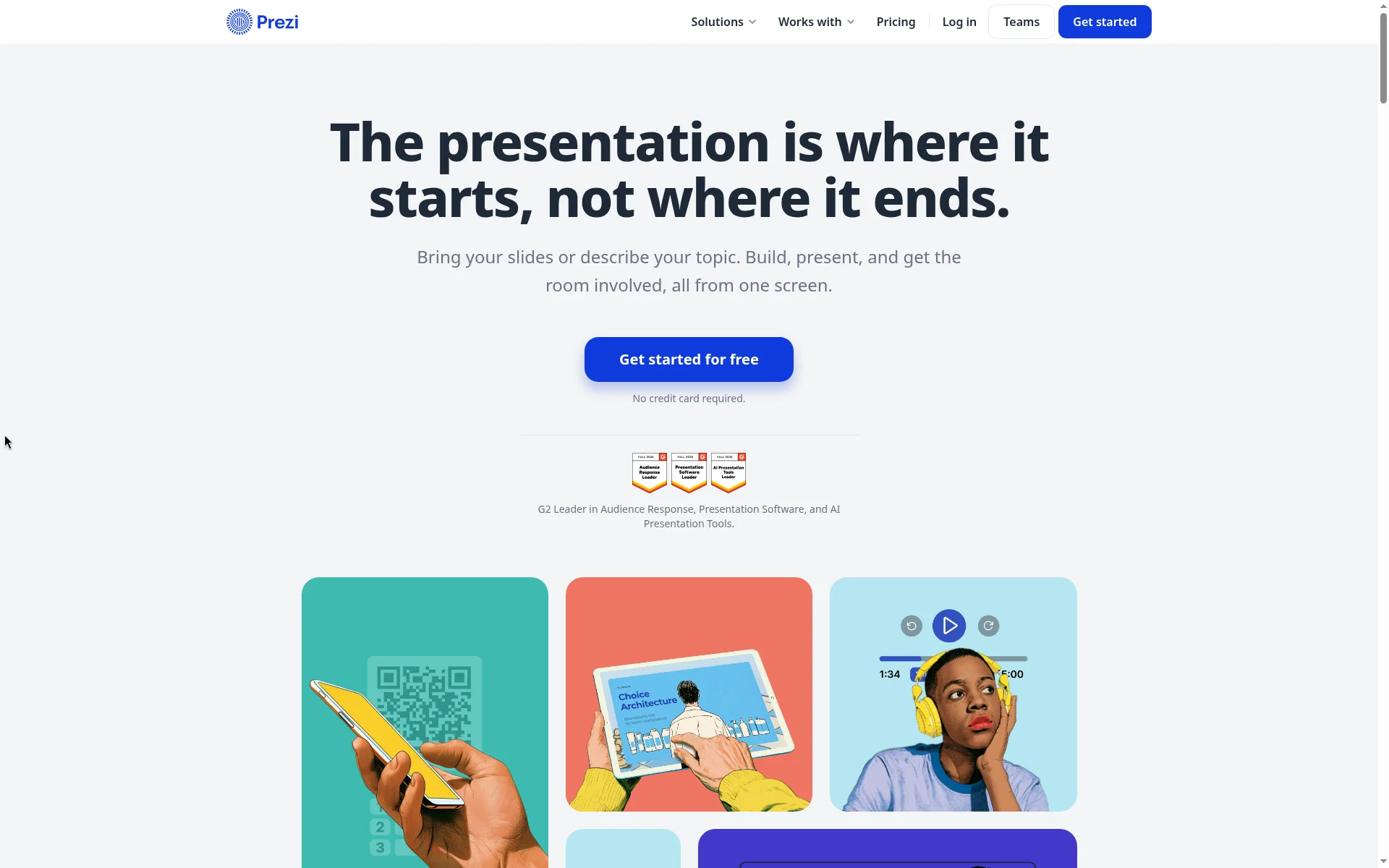
Prezi pitches bring-your-slides or a one-sentence topic, then live polls, quizzes, and Q&A, then follow-up learning. Snapdeck is closer to build on a canvas and hand off the file.
This post splits them with one question: run live interactive audience (QR polls, quizzes, Q&A) and keep teaching after, or build on a web canvas and hand off Figma or PPTX? There is no ranking here. 🙂
Prezi details come from its homepage, pricing page, plans support guide, and small-business pricing comparison blog (Sep 30, 2026), checked on 2026-10-19. We did not log in—public pages, support, and blog only. Snapdeck details come from a signed-in Free plan Korean UI the same day plus the features and pricing pages.
They finish in different places
Prezi’s homepage says you bring slides (PowerPoint, Google Slides, Canva, PDF) or describe a topic in a sentence and Prezi builds. Present and run activities from one screen; remote joins the same way, per the public copy.
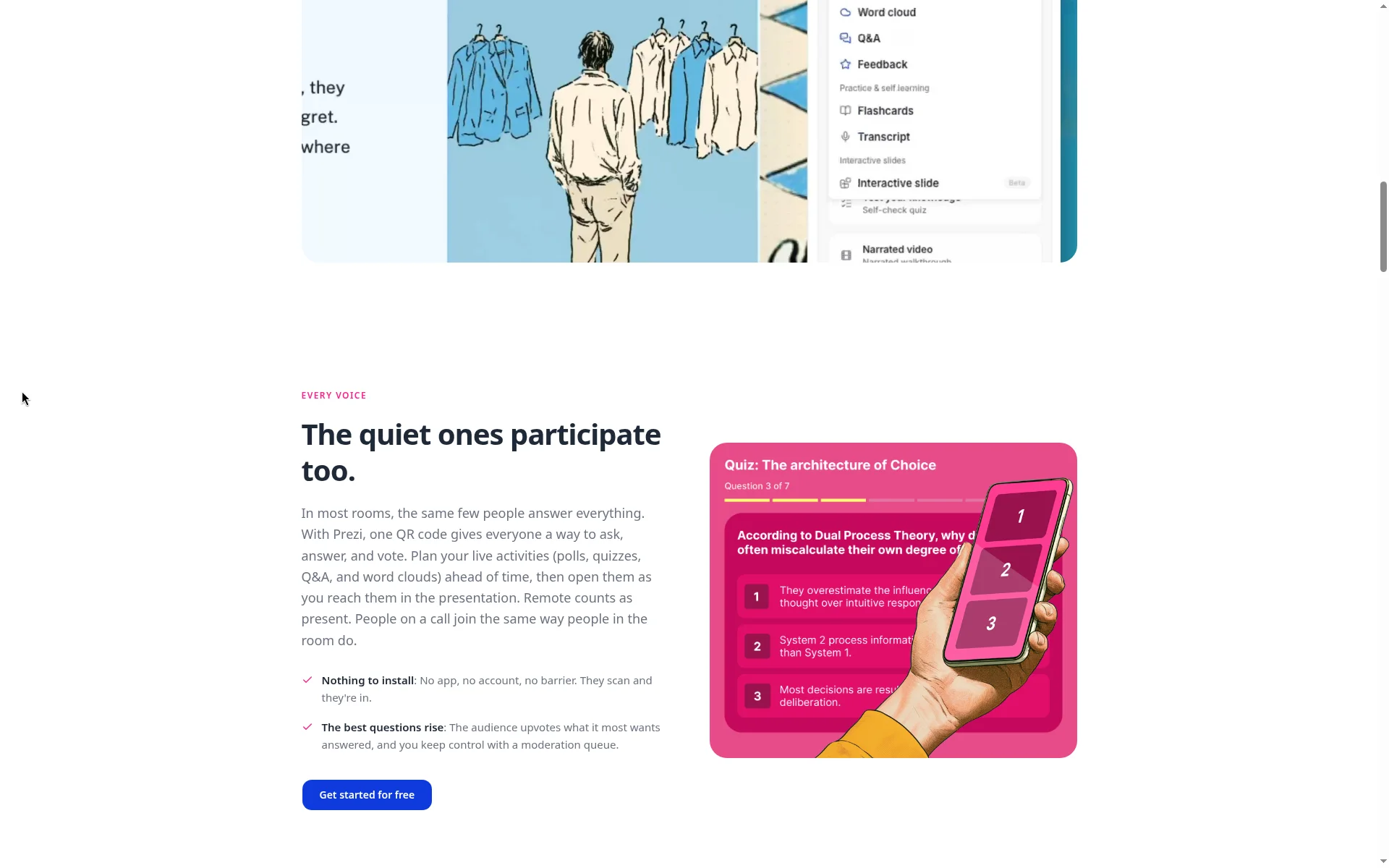
Live audience features—polls, quizzes, Q&A, word clouds—open with one QR code; the audience needs no app or account, the homepage says. After the session, a share link can continue with flashcards, self-tests, podcast, narrated video, and transcript. Results by question, a feedback digest, and upvoted audience questions are also mentioned.
Export, per FAQ, is PPTX and PDF (fonts and formatting kept). We found no Figma (.fig) export in the public materials we checked.
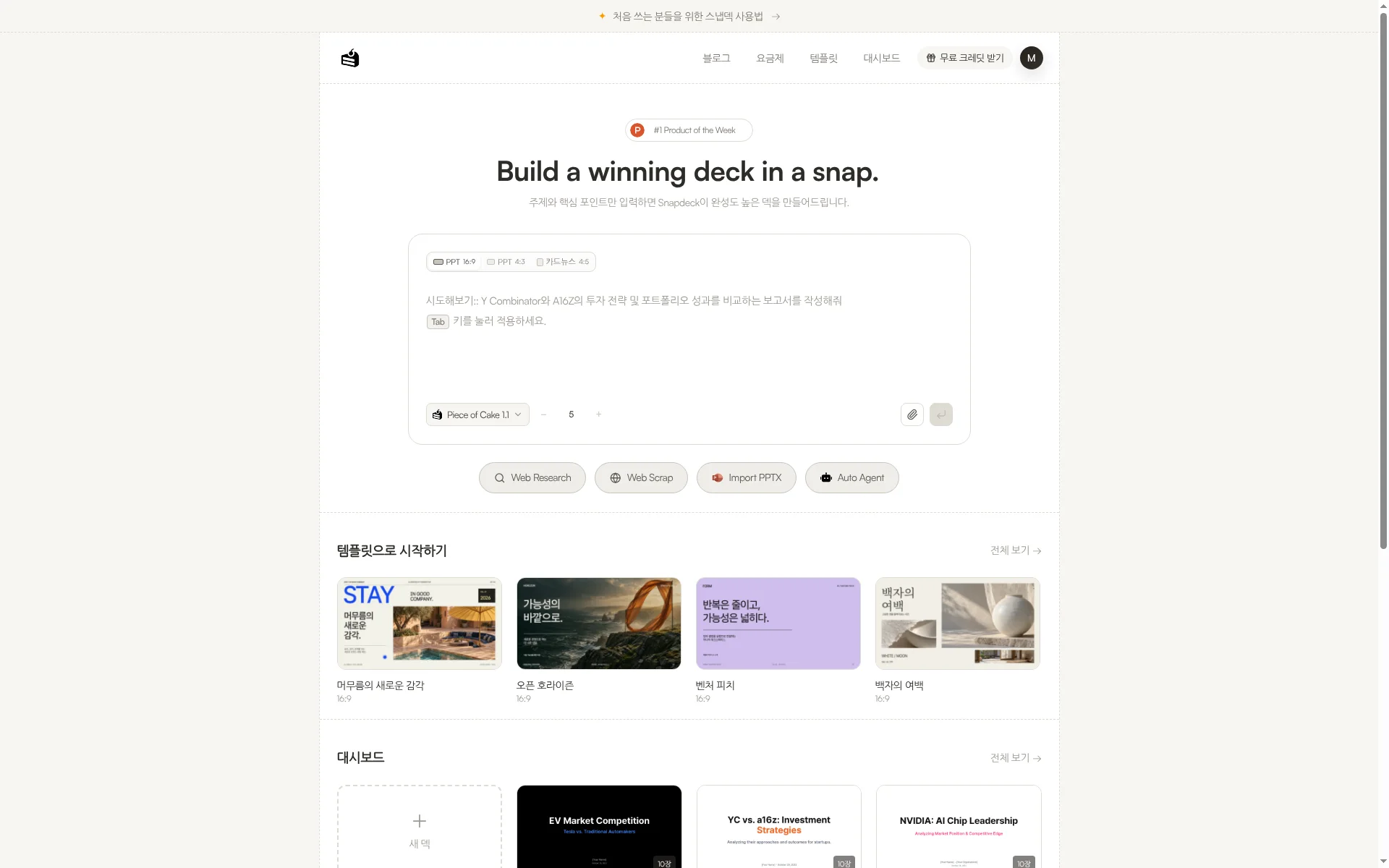
Snapdeck starts in a browser prompt. On home you pick a 16:9, 4:3, or 4:5 ratio and a slide count. Underneath are Web Research, Web Scrap, Import PPTX, and Auto Agent. The features page lists three steps: enter topic and materials, review the outline, then choose a style and theme. Styles include Report, Keynote, Portfolio, and Proposal. Custom themes take colors, fonts, and a logo, or import from a website URL.
Both make decks. What differs is what you do after: Prezi runs live interaction and post-session learning; Snapdeck polishes on a canvas and hands off files. We did not find live polls or QR audience response on Snapdeck’s features or pricing pages.
The comparison, in one pass
| Prezi | Snapdeck | |
|---|---|---|
| Where it runs | Web (prezi.com). Homepage stats and G2 Leader claims cited as site claims only | Web browser (snapdeck.app) |
| New deck | Import slides (PPT, Google Slides, Canva, PDF) or one-sentence topic → Prezi builds (homepage) | Prompt, ratio, slide count, attachments, Web Research, Web Scrap, Auto Agent. Outline before design |
| How you edit | Public home/pricing describe AI credits and plan features. Signed-in editor not captured | Figma-style direct edit + Chat. Select an area, ask AI, compare before applying |
| Live audience | Polls, quizzes, Q&A, word clouds; one QR; no app/account for audience (homepage). After: flashcards, self-tests, podcast, narrated video, transcript | No live polls or QR audience response found on features/pricing |
| Languages | Marketing-site footer includes a 한국어 language switch (capture). Editor UI / generation in Korean not verified (no switch, no login test) | Captured in Korean UI. “Built by a Korean team.” No official generation-language list found |
| Working together | Teams and EDU plans mentioned in blog/support. Do not overclaim real-time multiplayer deck co-edit | Has Share. Real-time co-editing not verified |
| Export | FAQ: PPTX, PDF (fonts/formatting kept). No Figma (.fig) in the public materials we checked | PDF, PNG (per slide), Figma (.fig), PowerPoint (.pptx) |
| Pricing entry | Basic free (pricing tab/support: up to 5 public projects, 500 AI credits). Individual annual USD: Standard $7, Plus $19, Premium $29/mo | Free ₩0 (starter credits, deck limits, watermark, no PPTX/Figma). Paid export from Pro |
Where Prezi fits: live response in the room, then keep teaching
Prezi’s strength—on public homepage copy—is that live audience engagement and post-session learning live in one product.
- Import and create. The homepage says bring PowerPoint, Google Slides, Canva, or PDF, or describe a topic in a sentence, and Prezi builds. It also says free to start, no credit card.
- Live activities. Polls, quizzes, Q&A, and word clouds open with one QR; present and activities from one screen; remote joins the same way.
- After the session. A share link continues with flashcards, self-tests, podcast, narrated video, and transcript; results by question, feedback digest, and upvoted questions are listed.
- Export. FAQ lists PPTX and PDF (fonts and formatting kept).
- Scale claims. The homepage cites 170M+ presenters, 500M+ presentations, 195+ countries, and G2 Leader (Audience Response, Presentation Software, AI Presentation Tools). Those are Prezi’s claims, not our ranking.
If workshops, classes, or internal training need live response in the room and learning that continues afterward, Prezi’s audience axis is close.
To be honest: the marketing footer includes a Korean language switch, but we did not verify the editor UI in Korean, we found no Figma (.fig) export, and even with team plans we do not overclaim real-time multiplayer deck co-edit.
Where Snapdeck fits: build on a canvas, then hand off the file
Snapdeck focuses on making a deck on the web and choosing how to hand it off.
The features page describes three edit paths: direct Figma-style editing, AI chat, and selecting an area to change. You compare before applying. You can regenerate designs from the same outline. Import PPTX lets you keep editing or use a file as a reference.
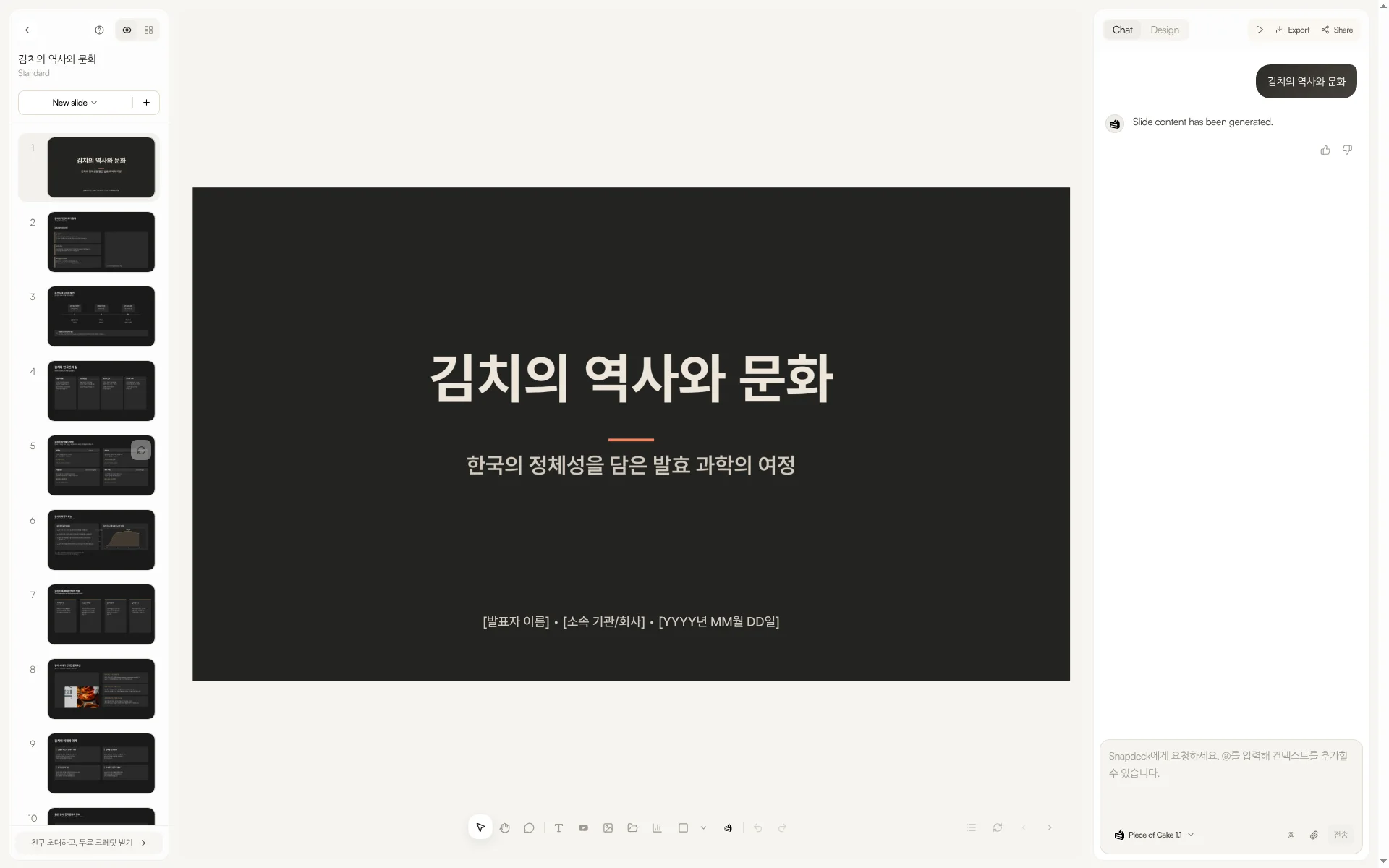
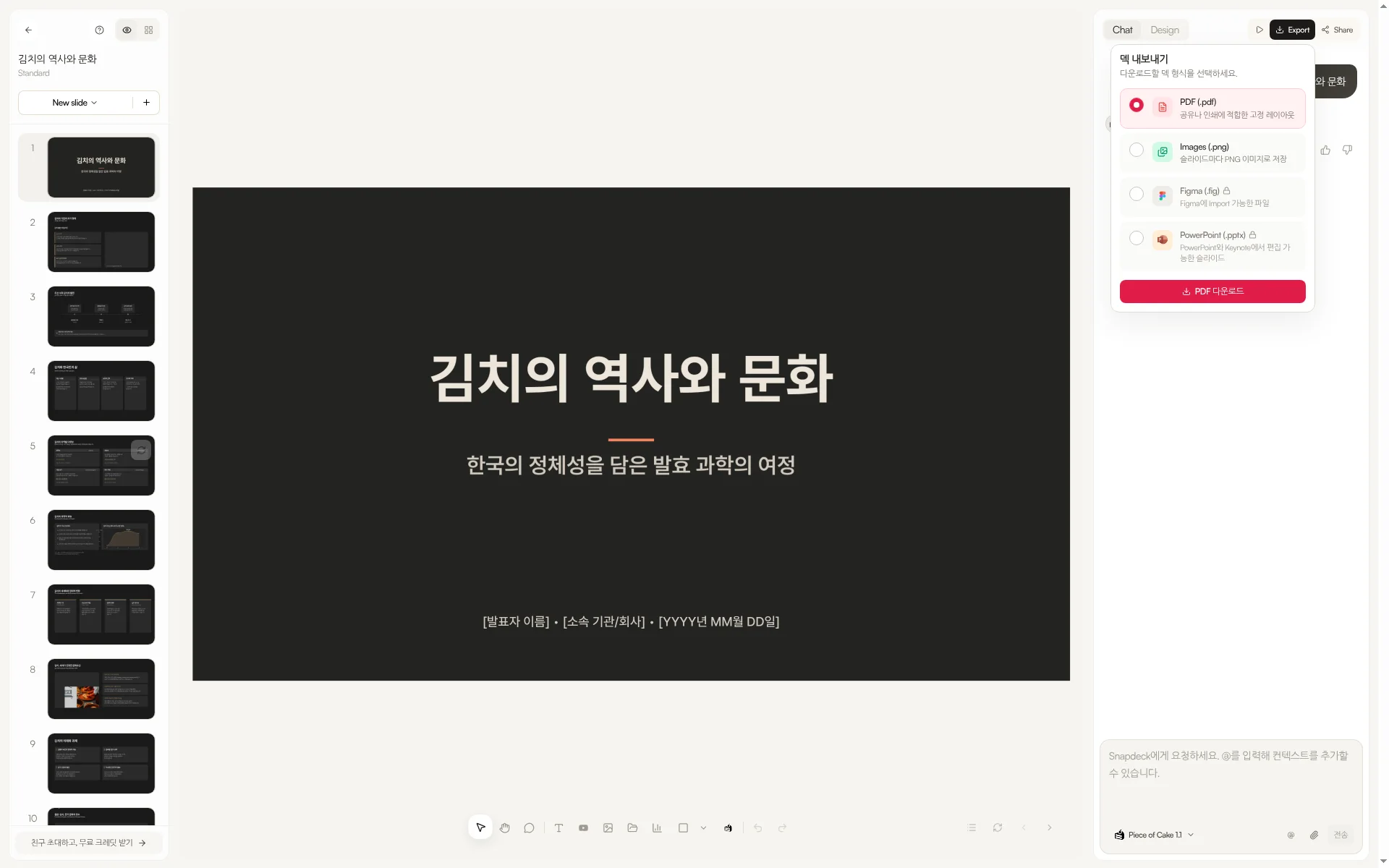
Export lists PDF, Images (.png), Figma (.fig), and PowerPoint (.pptx). A Figma handoff path did not appear in the Prezi public materials we checked. The features FAQ asks you to check fonts and layout after PPTX export.
To be honest: Share exists, but real-time co-editing was not verified here; we found no live polls or QR audience response on features/pricing; and Free has no PPTX or Figma export.
Cost: Prezi annual dollars vs Korean UI won
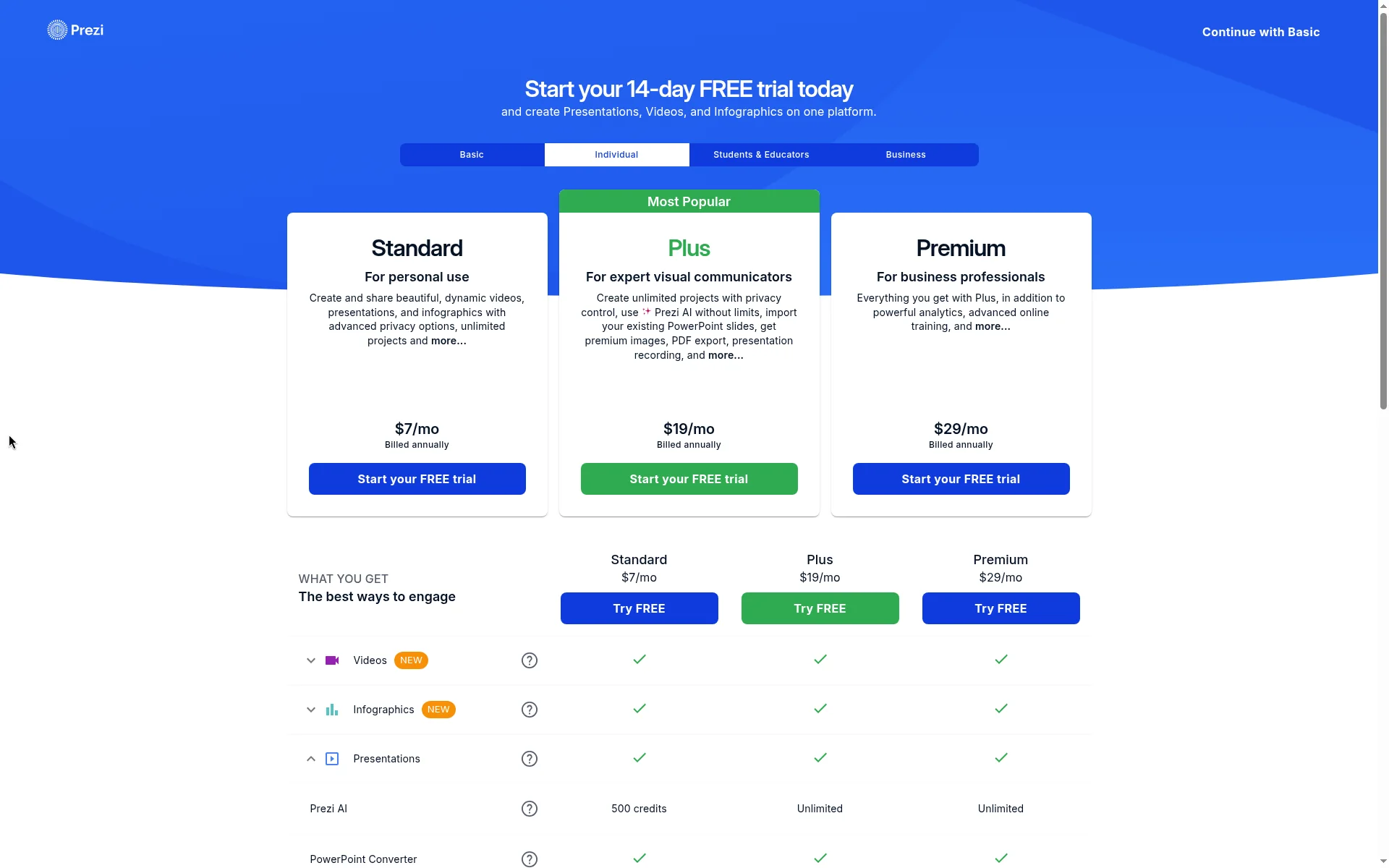
Prezi pricing (2026-10-19, public page, Individual tab, annual billed USD): Standard $7/month (personal use), Plus $19/month (unlimited Prezi AI, PowerPoint import, premium images, PDF export, recording, and more), Premium $29/month (analytics, advanced online training). Table snippets list Basic/Standard at 500 AI credits and Plus/Premium Unlimited. The plans guide summarizes Basic free with 500 AI credits; Standard privacy + 500 AI; Plus unlimited AI + PDF + recording/portable; Premium adds analytics. The Sep 30, 2026 blog lists Basic free (500 AI credits/month, public presentations), Teams $39/user/month annual, and EDU plans.
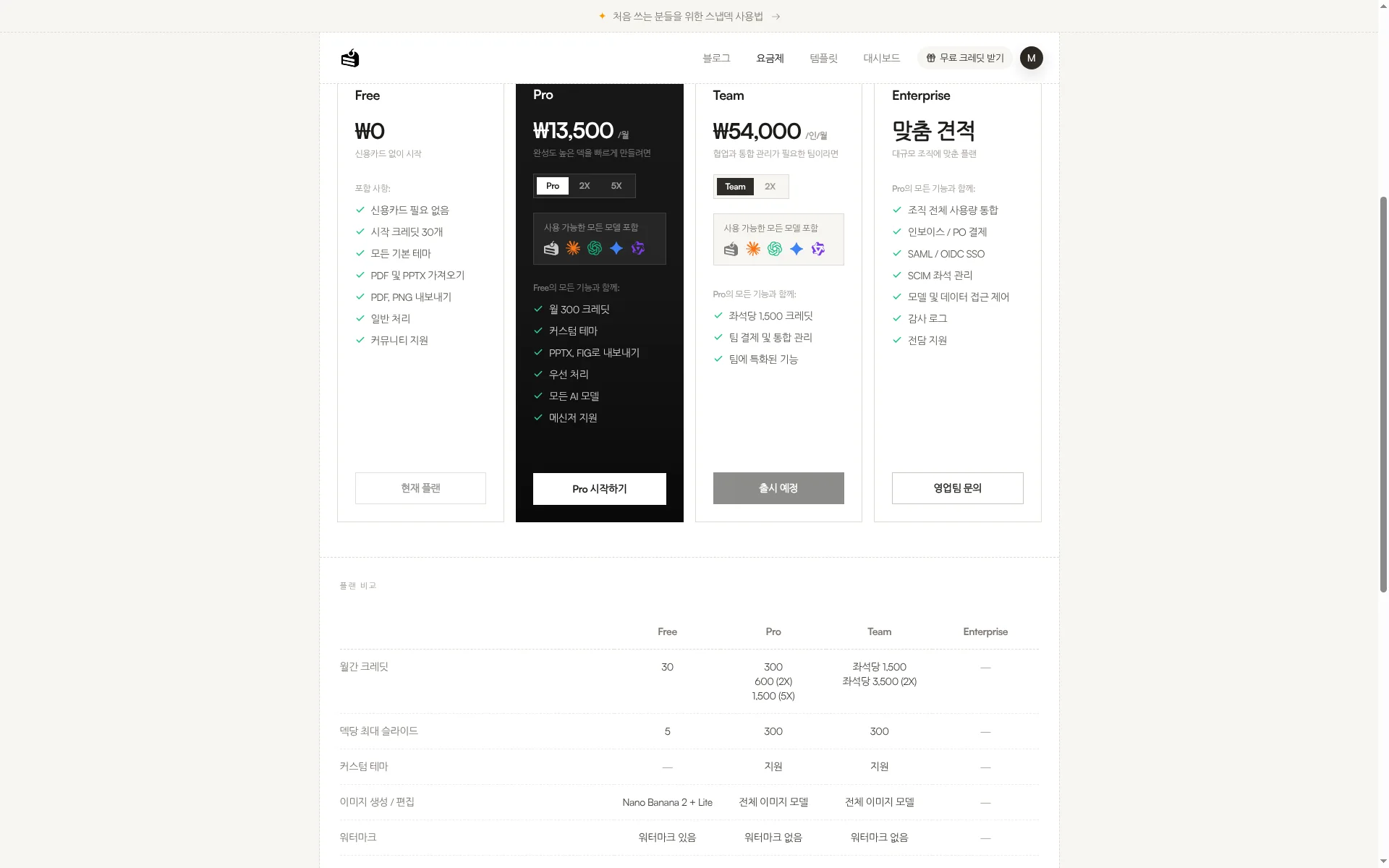
Snapdeck pricing (Korean UI capture from a Free plan account, 2026-10-19): Free ₩0, Pro ₩13,500/month, Team ₩54,000/user/month (monthly toggle; Team card button showed 출시 예정 / Coming soon on this capture). Free has no PPTX or Figma export (table: — on Free, 지원 on Pro/Team; export dialog locks Figma and PowerPoint on Free); Pro and Team open custom themes and PPTX/Figma export (comparison table / features). The English pricing page may show different currency (e.g. Pro $10/month); as in prior posts we use KRW from the Korean UI as primary.
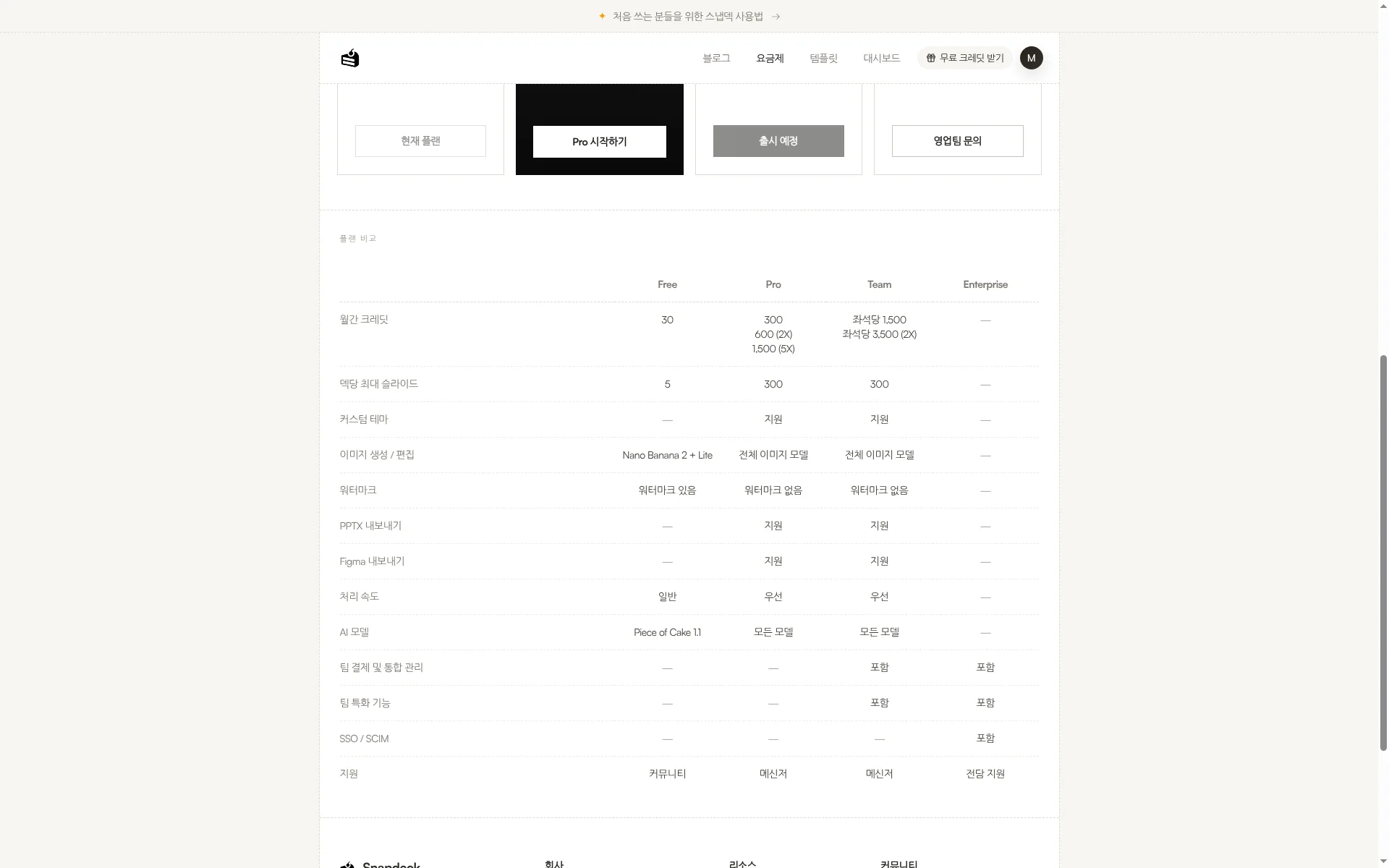
Match the subscription to whether live interaction plus post-session learning is the goal, or a Figma (.fig) handoff is. Prezi has AI credit and plan limits; Snapdeck has credits and Free export limits—size them to deck length and handoff format.
Using both together
You do not have to pick one.
- Draft in Snapdeck from a topic or manuscript; tidy outline and style.
- Export PowerPoint (.pptx). Check fonts and layout once.
- Import that PPT into Prezi if it fits your flow (homepage supports PowerPoint import), or continue in your own workflow. When you need live polls or quizzes, Prezi’s audience side can fit—when you have that subscription.
If live session and follow-up learning are the center of the job, start with Prezi alone. If Figma (.fig) is required, Snapdeck is closer.
Which one to open
Prezi fits when
- You want to create, then run QR polls, quizzes, and Q&A in the same product, and keep teaching afterward with flashcards, self-tests, and related follow-ups.
- Bringing existing PPT, Google Slides, Canva, or PDF is useful, and PPTX/PDF sharing is enough.
- Live audience response (including remote) is the core of the job, as the homepage describes.
Snapdeck fits when
- You want outline → style → design on a blank web canvas.
- The handoff is Figma (.fig) for a designer, or PPTX / PDF / PNG.
- You want the Korean UI and Report, Keynote, Portfolio, or Proposal styles.
Where the scope differs
Prezi ties live audience and post-session learning, but we did not verify the editor UI in Korean (footer switcher only), found no Figma (.fig) export, and do not overclaim co-edit. Snapdeck is strong at canvas editing and Figma/PPTX handoff, but we found no live polls or QR response, Free blocks those exports, and real-time co-editing was not verified.
So
If the finish line is live response in the room and teaching that continues after, Prezi is the natural fit. If the job is build on the web and hand off as Figma or PPTX, Snapdeck is closer. Need both? Draft in Snapdeck, export .pptx, then look at Prezi’s audience tools when the session needs interaction.
Want to start a canvas deck from one line? Try Snapdeck. ☺️
Sources: Prezi home, Prezi pricing, Prezi plans guide, Prezi small-business pricing blog (Sep 30, 2026), Snapdeck features (Korean), Snapdeck features (English), Snapdeck pricing. Prezi from public pages, support, and blog checked 2026-10-19; signed-in UI not captured. Snapdeck screens captured 2026-10-19 from a Free plan account in the Korean UI. Export dialog showed PDF, PNG, Figma (.fig), and PowerPoint (.pptx); Figma and PowerPoint showed a lock on Free.