Search for a Font, Then Save the Weight in a Theme
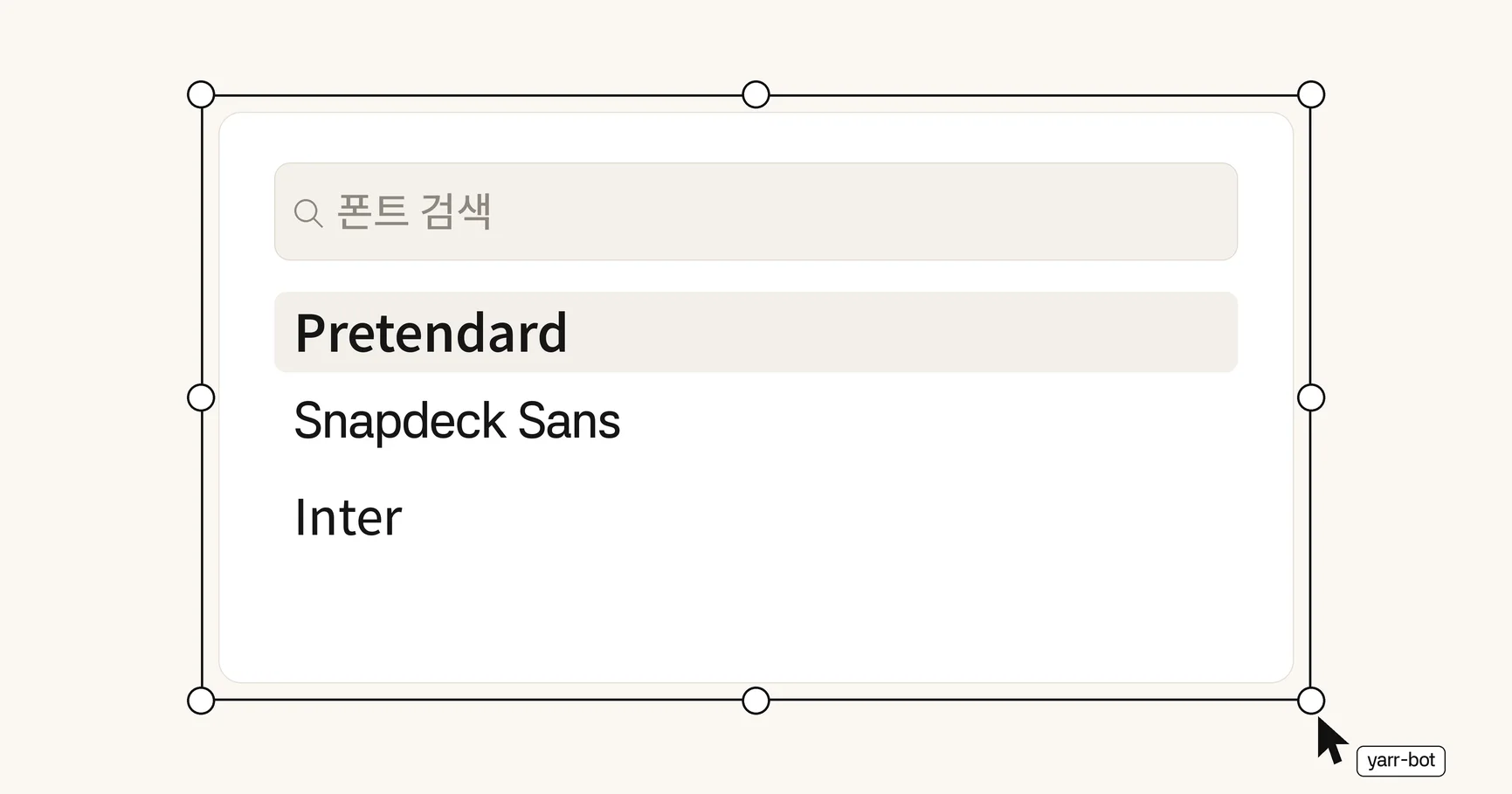
You can find a font by name instead of scrolling the whole list. The font menu in the Design panel’s Typography section now has a search field, and the editor offers more typefaces.
Search in Typography
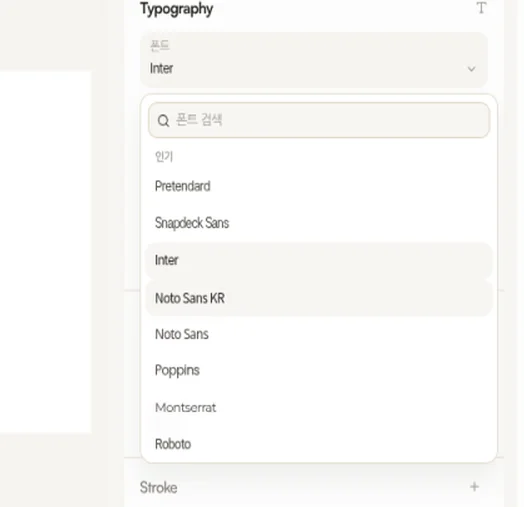
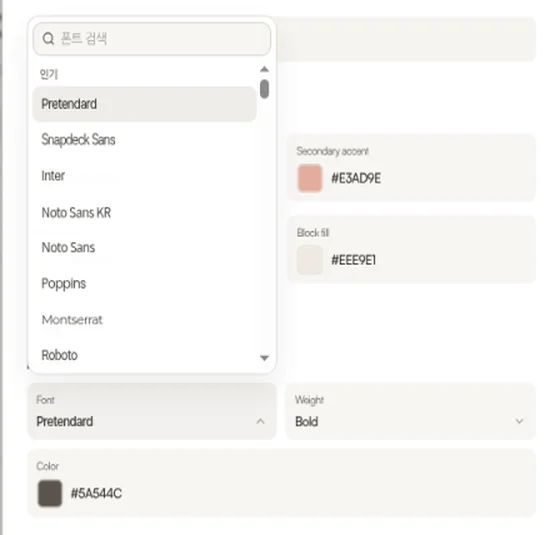
The font dropdown has a search field. The placeholder reads “Search fonts”.
Results are grouped under “Popular” and “Other”. Popular lists Pretendard, Snapdeck Sans, Inter, Noto Sans KR, Noto Sans, Poppins, Montserrat, and Roboto.
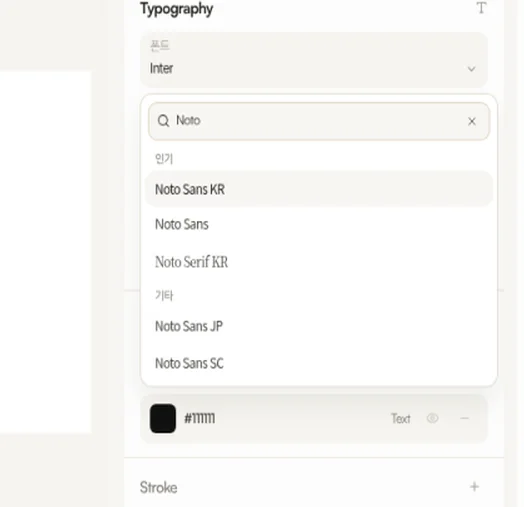
Typing “Noto” shows Noto Sans KR, Noto Sans, and Noto Serif KR under Popular, and Noto Sans JP and Noto Sans SC under Other. The x in the search field clears the query. When nothing matches, the menu says No fonts match “query”.
Families and weights, with license notes
A curated set of fonts was added to the editor. It is organized by family and weight, and the license notices were checked.
The added families include Baemin fonts, Hakgyoansim, public-institution fonts, Cafe24 OFL fonts, KCC Ahnchangho, the Mona pixel font, and Google Sans Flex. Other multi-weight sans families and standalone display fonts are included as well.
The same picker in a custom theme
The heading and body font pickers in the custom theme modal use this same searchable picker. A theme can now save the newly added fonts and their weights. Before, a theme could reject a font the editor already offered.
Custom themes are covered in an earlier post, and they are available on the Pro plan.
The font you picked loads first
The editor loads the font you selected before the others. That typeface shows up on the slide sooner.