
How to Make a Pitch Deck with AI
If you need a 10-slide pitch deck for investors, you do not have to start from a blank slide. Put a short fact brief of verified numbers into Snapdeck, catch invented figures on the outline before any design runs, then generate an editable deck.
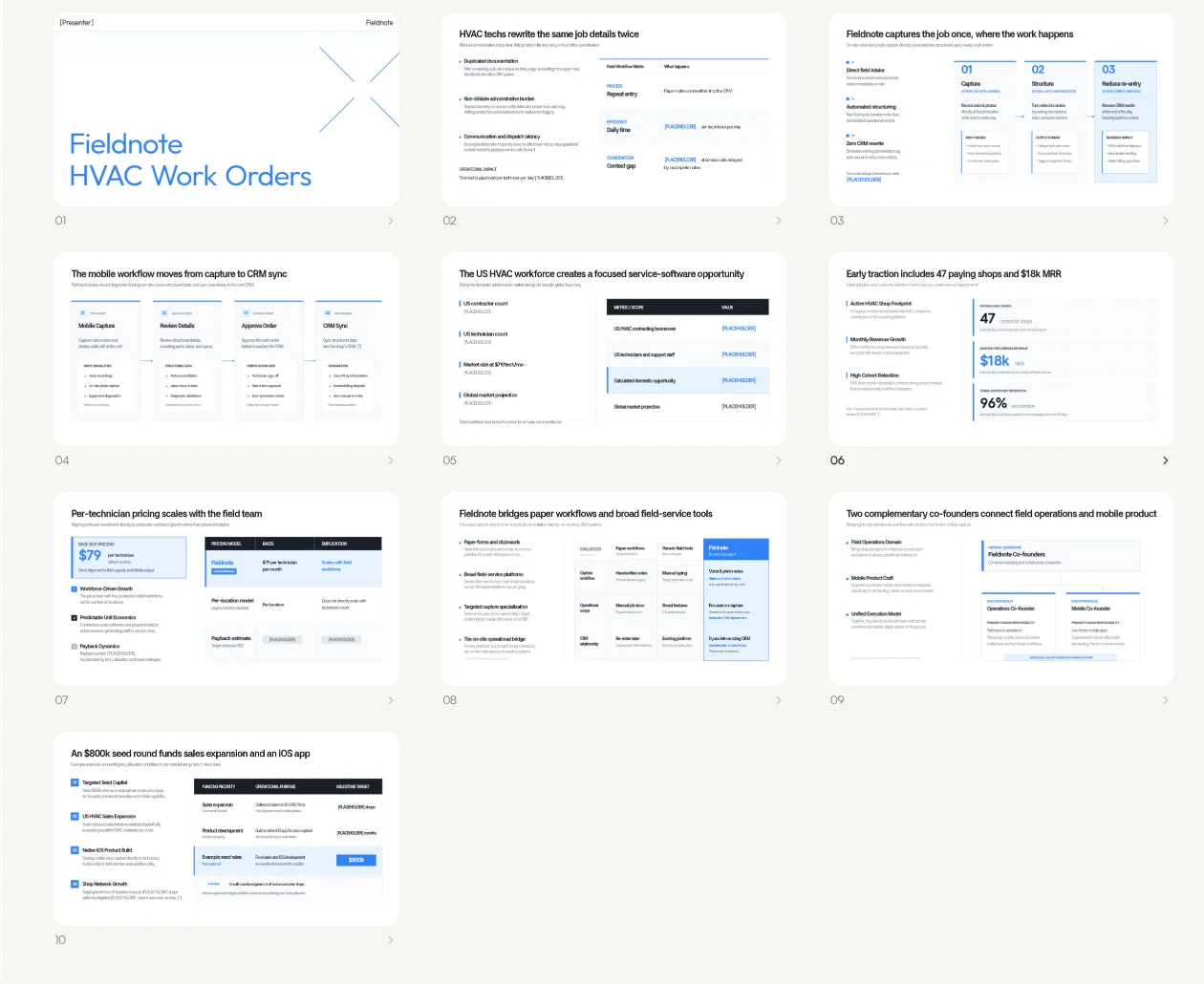
Example deck made for this post (fictional company Fieldnote): Fieldnote seed pitch. Every figure in the post (47 shops, $18k MRR, $800k seed, and the rest) is an example, not real traction.
When you need this
- You need a seed or pre-seed deck of about 10 slides
- The story is clear in conversation, but the slide spine and design are empty
- You want to catch invented market sizes or raise amounts before Generate
Follow along: from a fact brief to a deck
The walkthrough uses a fictional B2B product, Fieldnote — an app that turns HVAC techs' field notes into work orders. All numbers below are examples.
1. Write the fact brief first
Before you open the tool, collect every figure you want on the deck in one place. The example brief looks like this.
- Company and one-liner: Fieldnote — Field notes that become work orders for HVAC techs
- Problem: techs rewrite paper notes into the CRM after every job
- Solution: voice and photo notes on-site → structured work orders → CRM sync
- Traction (EXAMPLE): 47 paying shops, $18k MRR, 96% three-month net retention
- Business model: $79 per tech per month
- Market size: leave blank or
[PLACEHOLDER]if you do not have a sourced number - Team: two co-founders (ops and mobile)
- The Ask (EXAMPLE): raising $800k seed for sales and an iOS app
Leave gaps empty. AI often fills empty slots with plausible numbers, and those numbers land on the outline.
2. Paste the brief into the home prompt
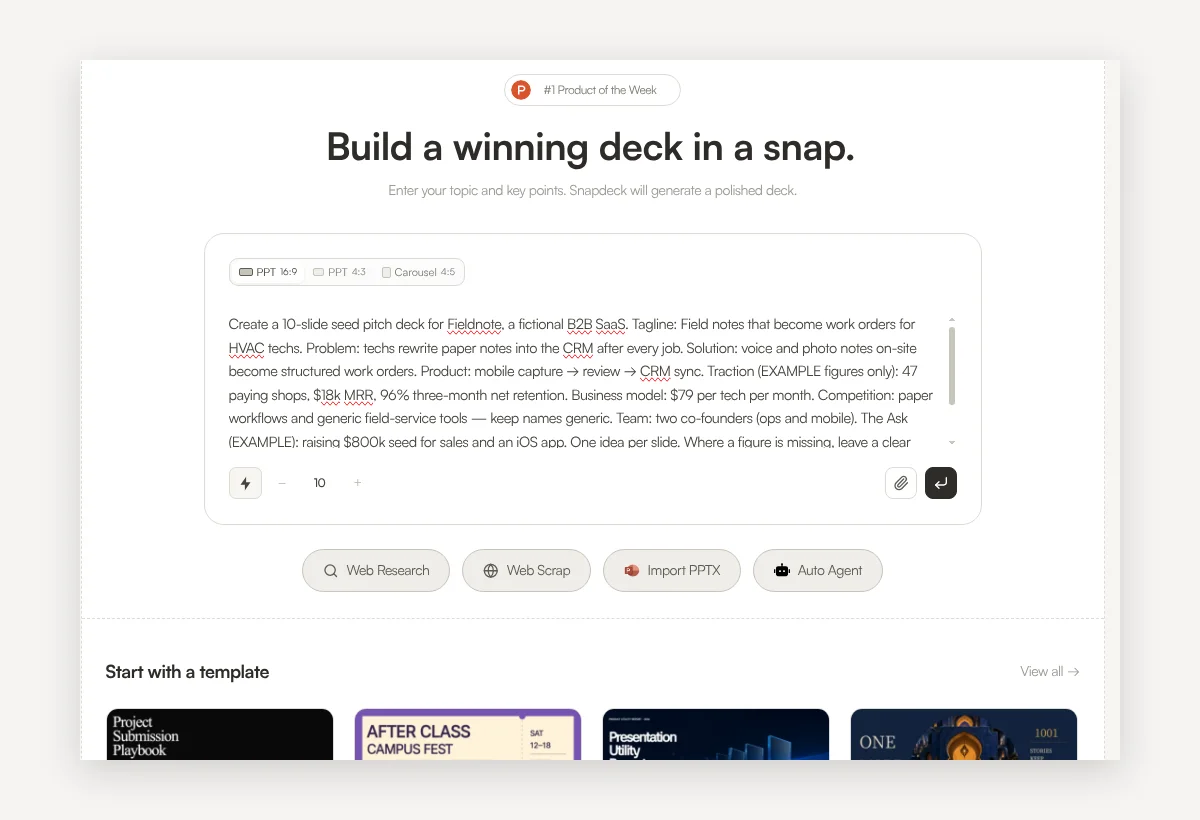
On the Snapdeck home screen, paste the brief into the prompt. The prompt used for the example is:
Create a 10-slide seed pitch deck for Fieldnote, a fictional B2B SaaS. Tagline: Field notes that become work orders for HVAC techs. Problem: techs rewrite paper notes into the CRM after every job. Solution: voice and photo notes on-site become structured work orders. Product: mobile capture → review → CRM sync. Traction (EXAMPLE figures only): 47 paying shops, $18k MRR, 96% three-month net retention. Business model: $79 per tech per month. Competition: paper workflows and generic field-service tools — keep names generic. Team: two co-founders (ops and mobile). The Ask (EXAMPLE): raising $800k seed for sales and an iOS app. One idea per slide. Where a figure is missing, leave a clear [PLACEHOLDER] instead of inventing numbers. Slides in order: Title, Problem, Solution, Product, Market, Traction, Business model, Competition, Team, The Ask.
Choose PPT 16:9, set the slide count to 10 with the − / + stepper, and press Enter.
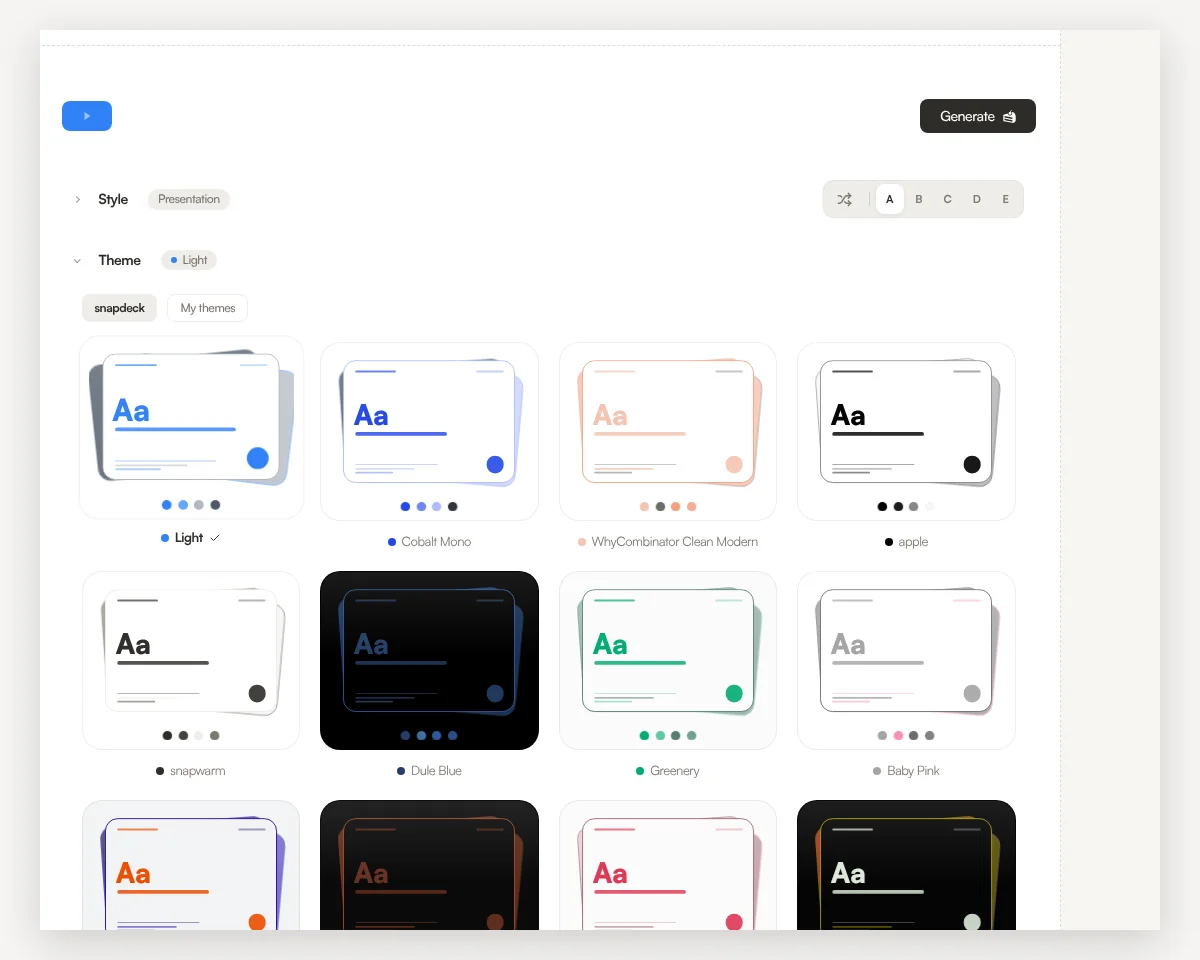
3. Pick a style and a theme
The example used Presentation style and the Light theme. Light themes keep figures readable on a projector or a shared screen.
4. Check numbers on the outline before you generate
Before any design is built, Snapdeck shows a slide-by-slide outline. For a pitch deck, this is the step that matters most. Fix any figure that was not in your brief here.
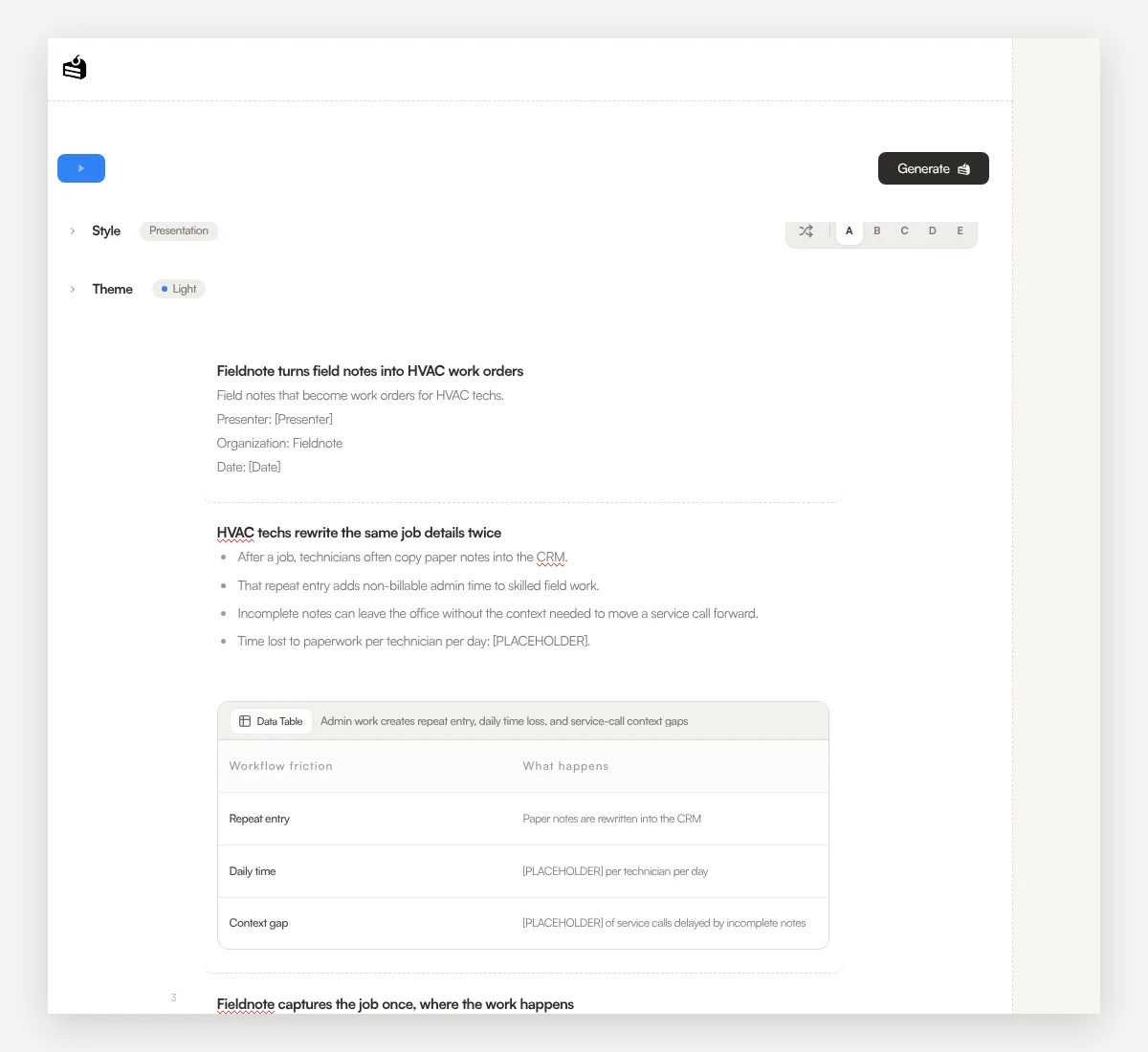
The example outline invented several figures that were not in the brief. They were all replaced with [PLACEHOLDER] before Generate.
- Problem (2): "30–60 minutes per technician daily" and "15% of service calls delayed or impacted by incomplete notes" — not in the prompt
- Solution (3): "up to 35% more billable hours per week" — not in the prompt
- Market (5): over 118,000 US HVAC contracting businesses, 1.6 million technicians and support staff, a $1.5B annual opportunity, and a $6.29B global market by 2035 — the brief left market size empty
- Business model (7): "2.7 reclaimed billable hours per month" and "$29.33/hour median wage" — not in the prompt
- What matched: Traction kept 47 shops, $18k MRR, and 96% retention; pricing stayed at $79 per tech; The Ask kept $800k and left shop-growth and timeline targets as
[PLACEHOLDER]. Competition has no brand names.
An in-app chat request to strip the invented figures failed with a processing error, so the outline was edited by hand before Generate.
5. Generate
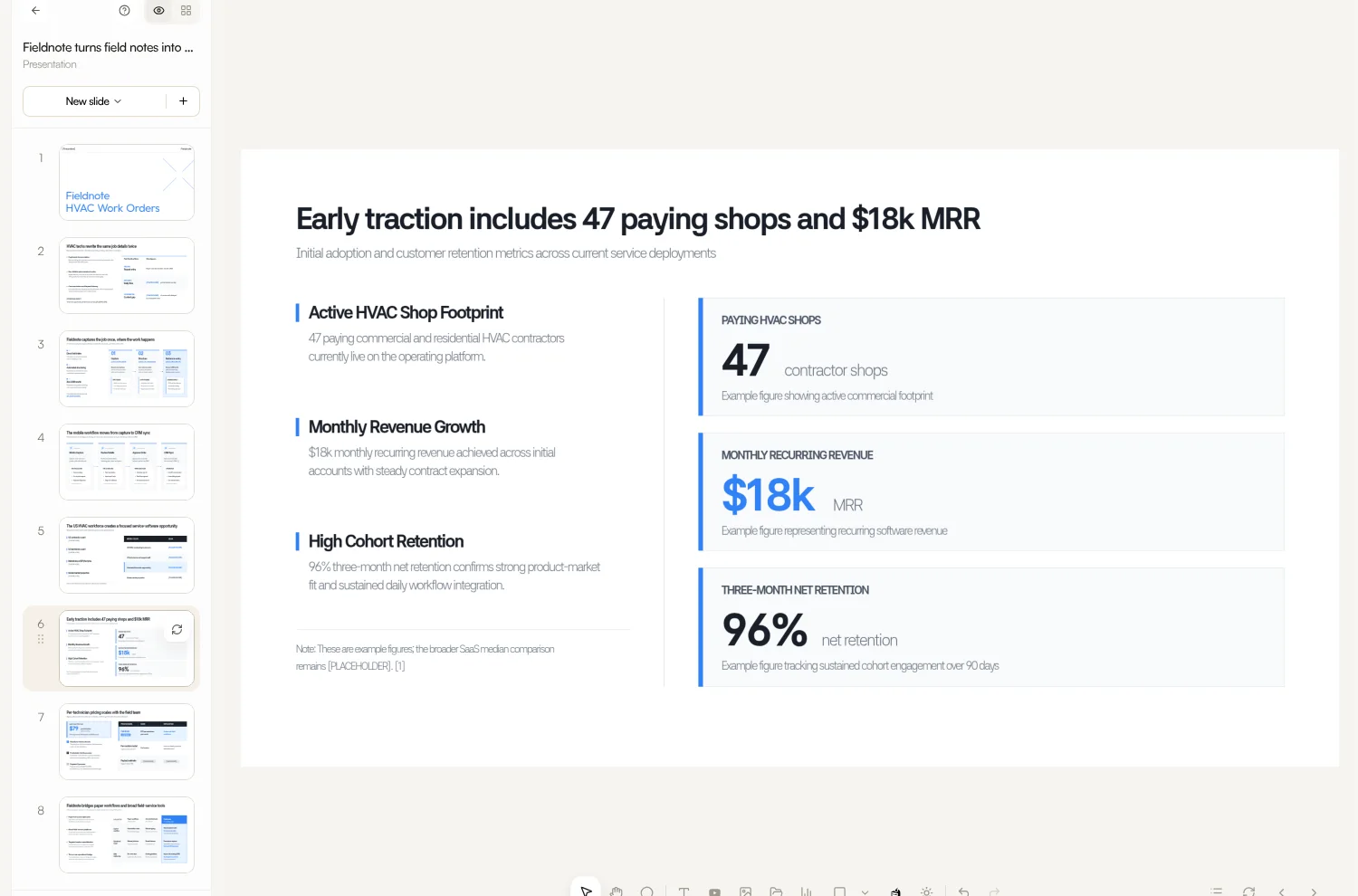
When the outline matches the brief, click Generate at the top right. Snapdeck designs the slides and opens the editor.
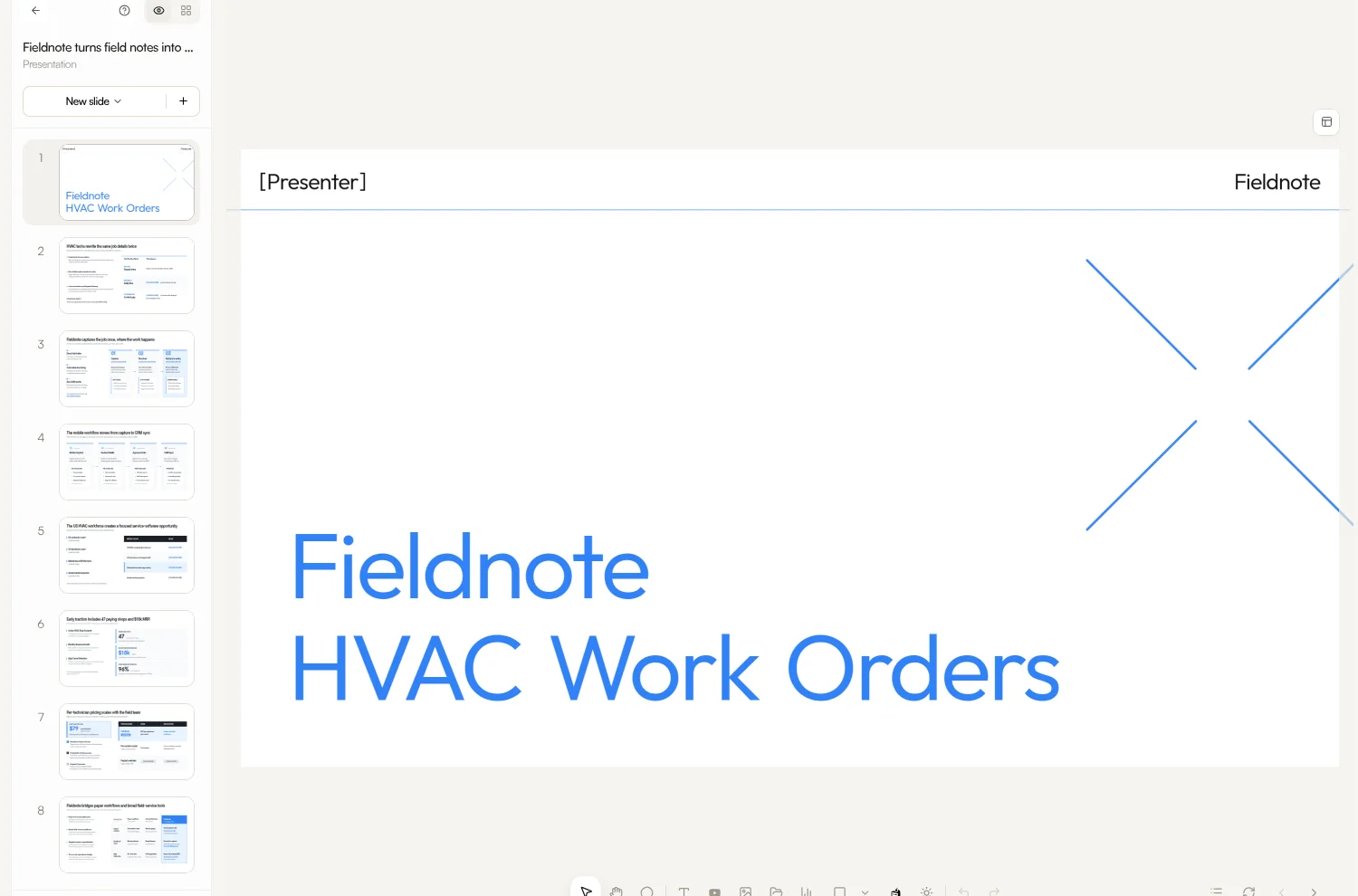
6. Re-check The Ask and Traction in the editor
Click any text to edit it. Walk The Ask, Traction, and Market slides against the brief line by line. For changes you would rather describe, use Chat on the right. The grid icon at the top left shows all 10 slides at once.
7. Export
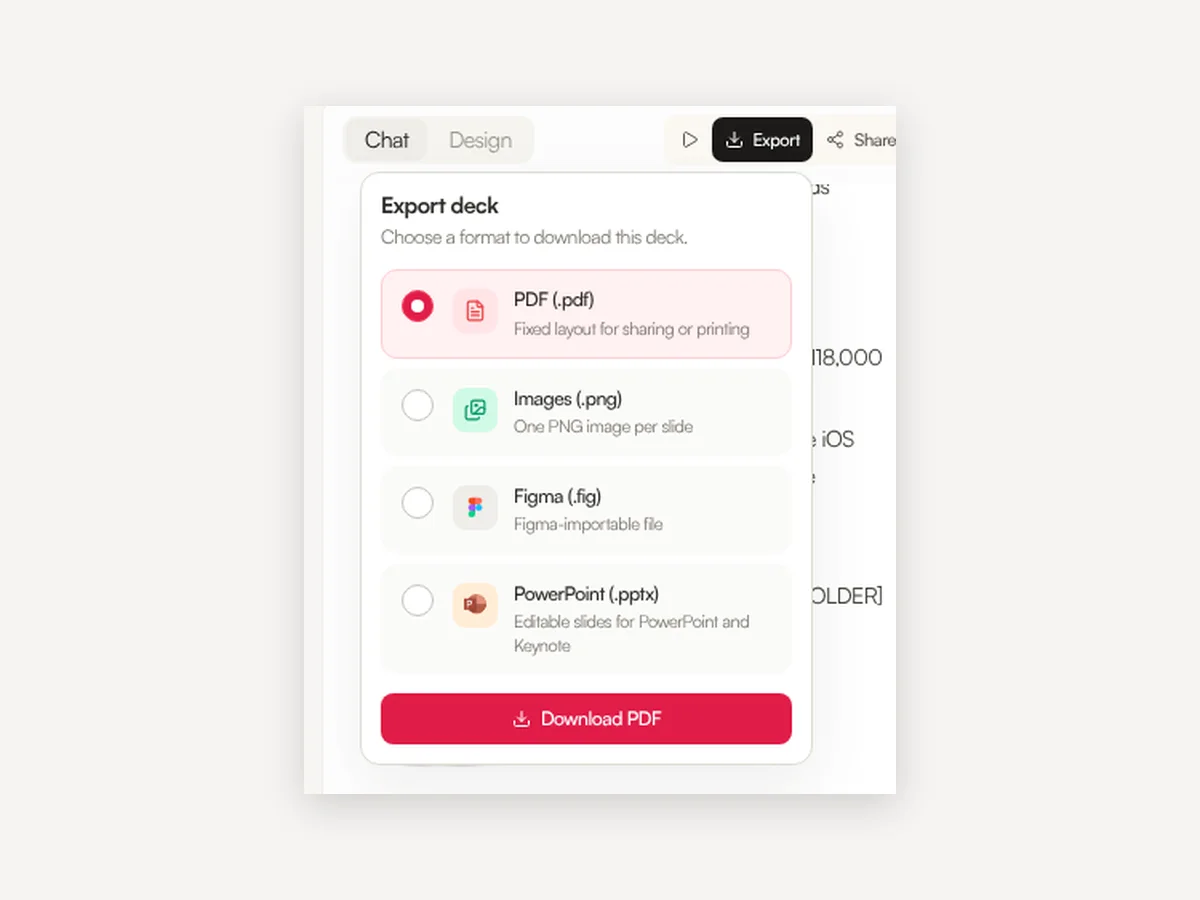
Click Export at the top right for PDF (.pdf), Images (.png, one per slide), Figma (.fig), or PowerPoint (.pptx). PDF and PNG export are on every plan; PowerPoint and Figma export are Pro. To send a link instead of a file, use Share. The example deck above is shared that way.
Outline number checklist before Generate
Invented figures are faster to remove on the outline than across ten designed slides. Keep the brief open next to it and check:
- Only brief numbers remain. Shop count, MRR, retention, price, and raise amount match the brief.
- Missing figures are
[PLACEHOLDER]or deleted. Clear market size (TAM/SAM/SOM), runway, or growth multiples that were not in the brief. - Order is Title → Problem → Solution → Product → Market → Traction → Business model → Competition → Team → The Ask. Make sure The Ask did not jump forward.
- One idea per slide. If Problem and Solution share a slide, split them.
A 10-slide seed structure
| # | Slide | What to put |
|---|---|---|
| 1 | Title | Company name + one line |
| 2 | Problem | The pain in the customer's words |
| 3 | Solution | What you built |
| 4 | Product | One screen or flow |
| 5 | Market | Sourced market only; leave blank if none |
| 6 | Traction | Users, revenue, retention you can defend |
| 7 | Business model | How you make money |
| 8 | Competition | Why you win (no ranking table) |
| 9 | Team | Why this team |
| 10 | The Ask | How much and what it pays for |
If you are pre-launch, drop Traction and use a slide for a pilot or waitlist you can actually show.
Steps at a glance
- Write a fact brief with verified numbers only; leave gaps empty.
- Paste it into the home prompt; set PPT 16:9 and 10 slides.
- Choose Presentation style and a theme.
- On the outline, fix or mark any figure that was not in the brief.
- Generate, then re-check The Ask, Traction, and Market.
- Export to PDF, PNG, Figma, or PowerPoint, or send a share link.
FAQ
Can an early team with no metrics still use an AI pitch deck?
Yes. Do not invent the missing metrics. On the outline, delete or mark as [PLACEHOLDER] any market size, runway, or growth target that was not in your brief, and fill only numbers you have verified.
Which export formats are available?
PDF, a PNG per slide, Figma (.fig), and PowerPoint (.pptx). PDF and PNG are on every plan; PPTX and Figma are Pro.
Are the Fieldnote numbers in this post real?
No. The 47 shops, $18k MRR, and $800k seed are examples for the walkthrough. Put only numbers you have checked into a deck you send to investors.