
Portfolio Presentation for Interviews: Structure and Timing
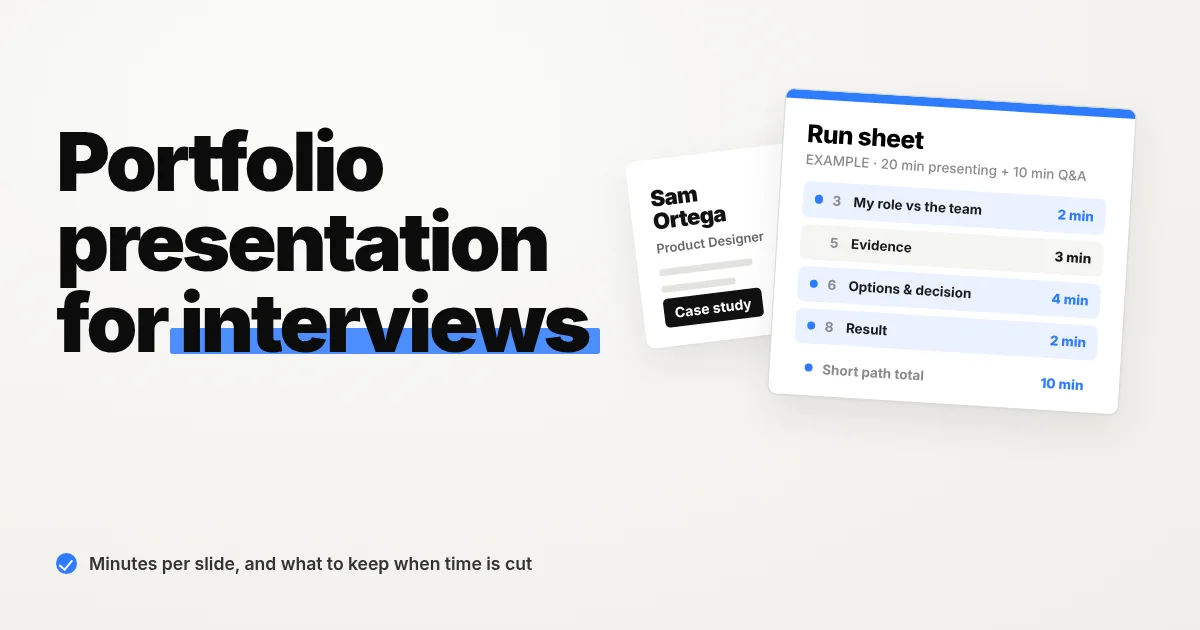
If a recruiter asked you to present your portfolio in an interview, this guide is for you. You will build a 10-slide deck for one case study in Snapdeck, give every slide a minute budget that fits the slot, and mark the short path for when time gets cut.
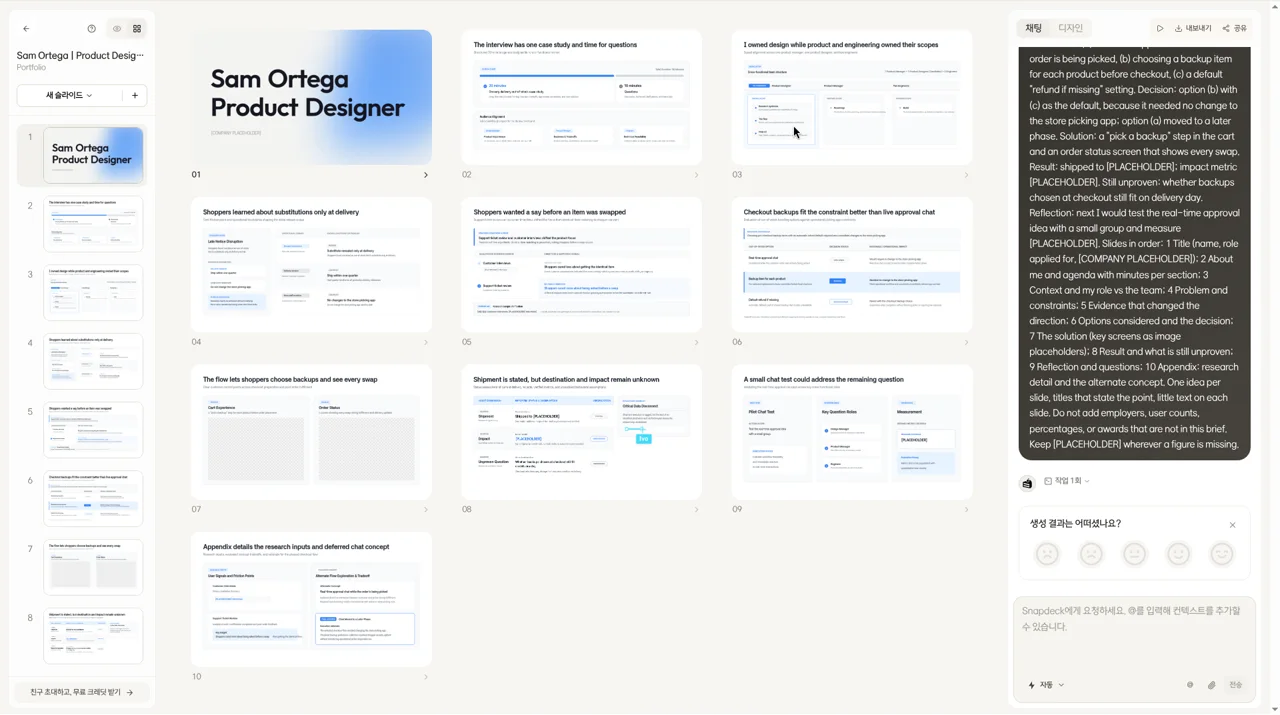
Example deck made for this post: Sam Ortega, out-of-stock backups case study. Sam Ortega and the grocery app project are fictional, and [PLACEHOLDER] marks where your real figures go. This grid was captured before step 5, so slide 8 still shows its first title.
When you need this
- A recruiter sent a brief: present one or two projects in a set time, then take questions
- The team wants a presentation deck, not a scroll through your website (CZI, OpenTable)
- You want a version that still works if the slot gets shorter
Follow along: build the interview deck in Snapdeck
The example brief is a 30-minute slot: 20 minutes presenting one case study, then 10 minutes of questions, with a design manager, a product manager, and an engineer on the panel. That brief is made up for this post.
1. Turn the interview brief into a case-study brief
Start from the employer's format: slot length, audience, and how many projects (The Crit gives the same advice). Then write one line each for context, your role versus the team's, problem and constraints, evidence, options, decision, result, what is still unproven, and reflection. Missing figures stay [PLACEHOLDER]. The Portfolio style post explains why each slide should answer one question.
2. Paste it into the home prompt and set PPT 16:9 and 10 slides
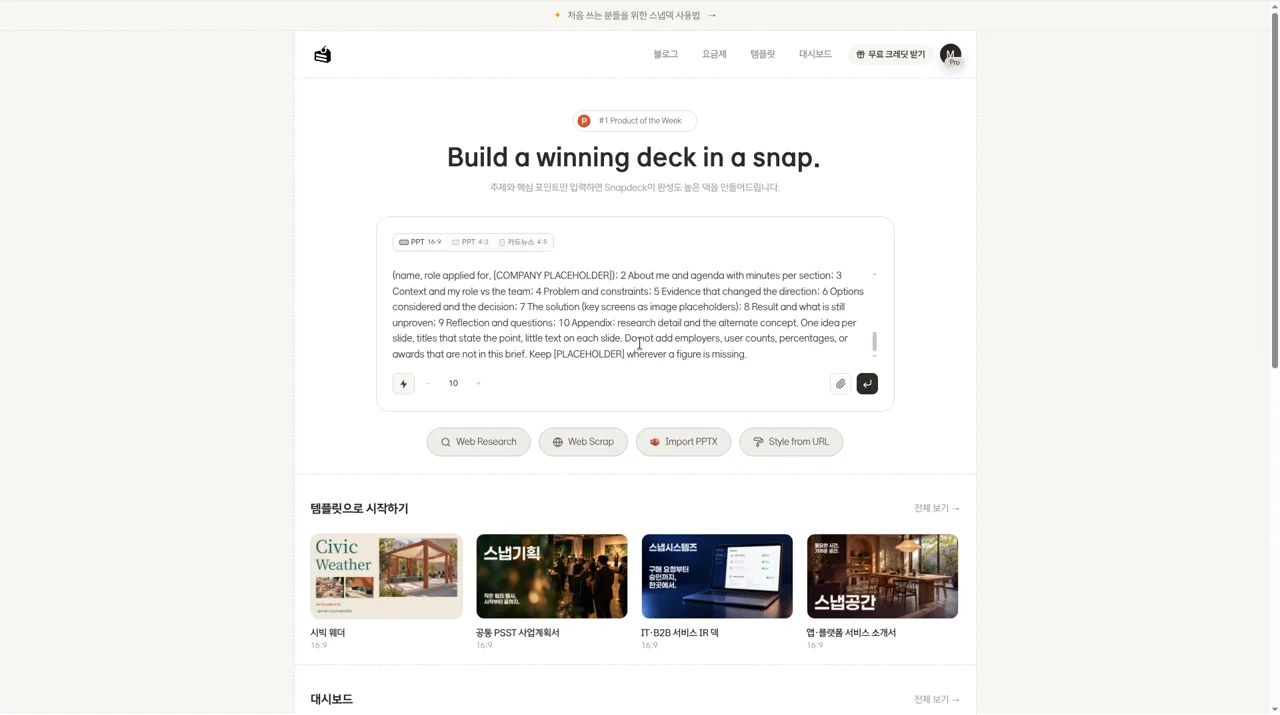
On the Snapdeck home screen, paste the brief. This is the exact prompt used for the example:
Create a 10-slide portfolio presentation for a product design job interview. Presenter: Sam Ortega, a fictional product designer. Interview brief (example): a 30-minute slot, 20 minutes presenting one case study and 10 minutes of questions, shared on screen with a panel of a design manager, a product manager, and an engineer. Project (fictional): redesigning how shoppers handle out-of-stock items in a grocery delivery app. My role: the only product designer on a squad with one product manager and two engineers. I owned research synthesis, the flow, and the final UI; the product manager owned the roadmap and the engineers owned the build. Problem: when an item was out of stock, shoppers found out about the substitute only at delivery. Constraints: ship within one quarter without changing the picking app that store staff use. Evidence that changed the direction: customer interviews ([PLACEHOLDER] interviews) and a review of support tickets showed shoppers cared less about getting the identical item and more about being asked before a swap. Options considered: (a) real-time approval chat while the order is being picked, (b) choosing a backup item for each product before checkout, (c) a default "refund if missing" setting. Decision: option (b) with (c) as the default, because it needed no change to the store picking app; option (a) moved to a later phase. Solution: a "pick a backup" step in the cart and an order status screen that shows every swap. Result: shipped to [PLACEHOLDER]; impact metric [PLACEHOLDER]. Still unproven: whether backups chosen at checkout still fit on delivery day. Reflection: next I would test the real-time approval idea with a small group and measure [PLACEHOLDER]. Slides in order: 1 Title (name, role applied for, [COMPANY PLACEHOLDER]); 2 About me and agenda with minutes per section; 3 Context and my role vs the team; 4 Problem and constraints; 5 Evidence that changed the direction; 6 Options considered and the decision; 7 The solution (key screens as image placeholders); 8 Result and what is still unproven; 9 Reflection and questions; 10 Appendix: research detail and the alternate concept. One idea per slide, titles that state the point, little text on each slide. Do not add employers, user counts, percentages, or awards that are not in this brief. Keep [PLACEHOLDER] wherever a figure is missing.
Choose PPT 16:9, because the deck will be shared on screen, and raise the slide count from the default 5 to 10 with the − / + stepper. Web Research was on by default in our account. We turned it off, because every fact in this deck should come from your brief. Then press Enter.
3. Choose the Portfolio style and the Light theme
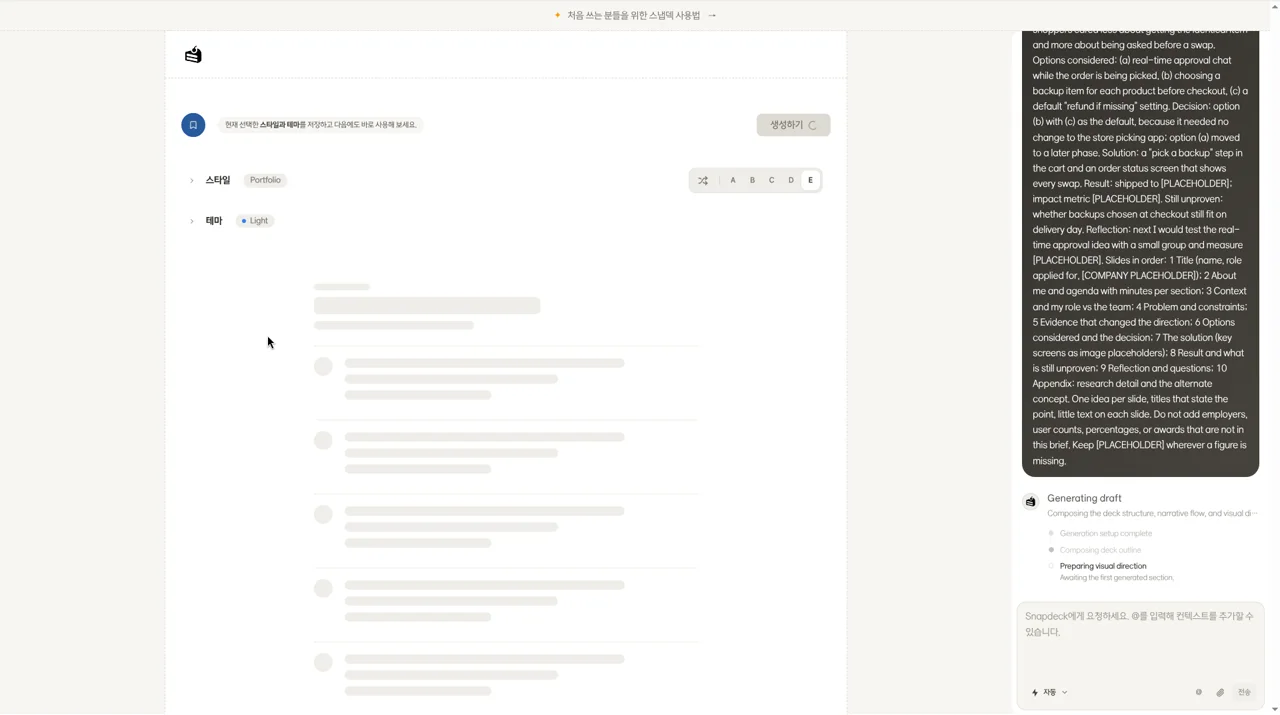
Next, Snapdeck asks for a style and a theme. The style sets the slide structure, and the theme sets colors and type. The style list showed Report, Standard, Presentation, Keynote, Portfolio, and Proposal. We picked Portfolio. A light theme keeps screens and small text readable when you share your screen, and interviewers often need to see the UI itself (OpenTable: "we need to see the UI elements on-screen").
4. Check the outline: your role, and no invented numbers
Once the theme is picked, the slide-by-slide outline appears on its own. Before you click Generate, check two things: slide 3 separates what you owned from what others owned, and no number appears that is not in your brief.
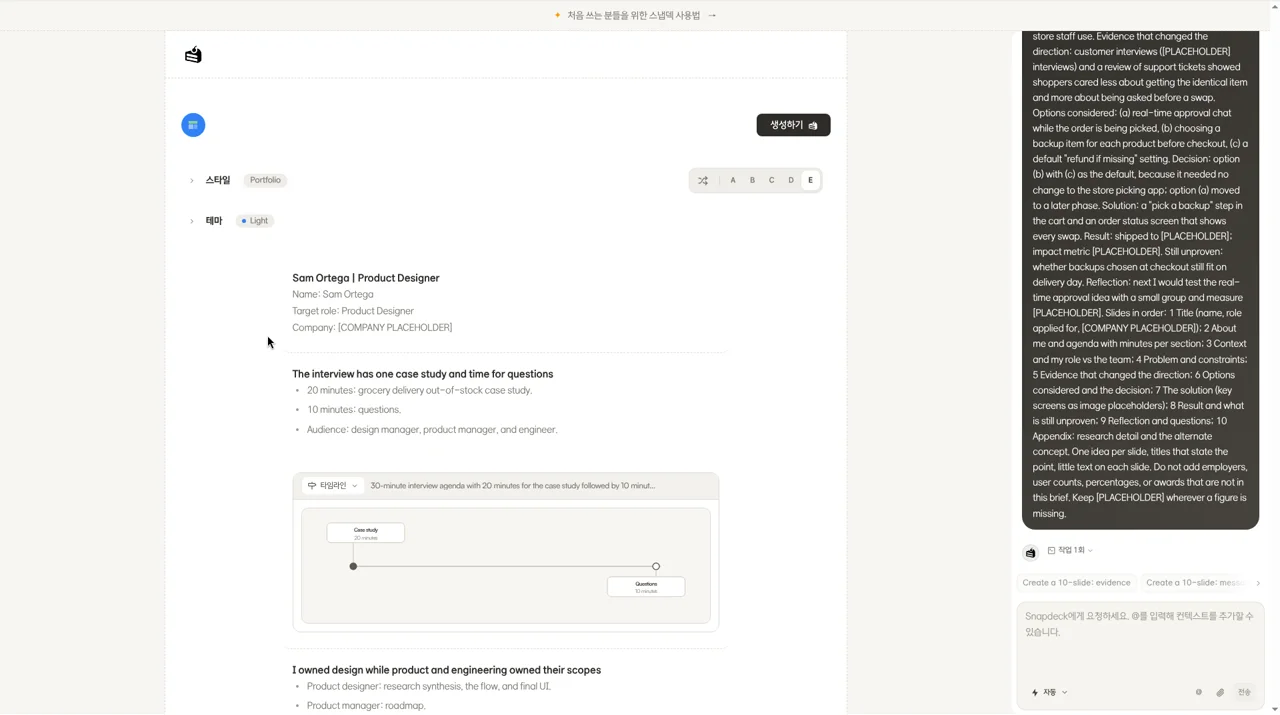
These are the 10 outline titles from this run:
- Sam Ortega | Product Designer
- The interview has one case study and time for questions
- I owned design while product and engineering owned their scopes
- Shoppers learned about substitutions only at delivery
- Shoppers wanted a say before an item was swapped
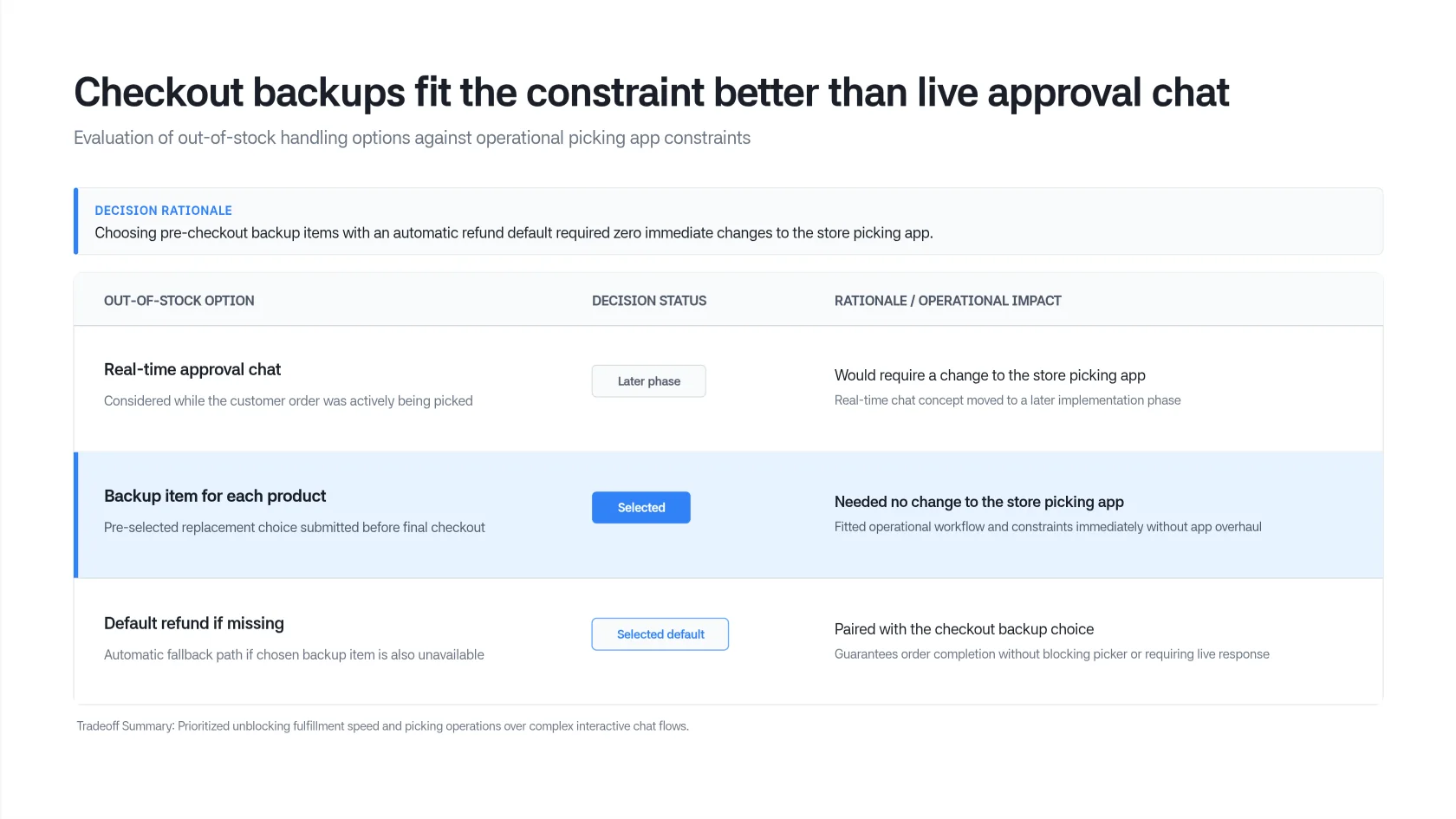
- Checkout backups fit the constraint better than live approval chat
- The flow lets shoppers choose backups and see every swap
- Shipment is stated, but destination and impact remain unknown
- A small chat test could address the remaining question
- Appendix details the research inputs and deferred chat concept
The outline had no numbers outside the brief. The 20 and 10 minutes on slide 2 come from the brief itself.
5. Generate, then read every slide against your brief
Click Generate in the top right. In our run the slides took about 90 seconds, and then the editor opened.
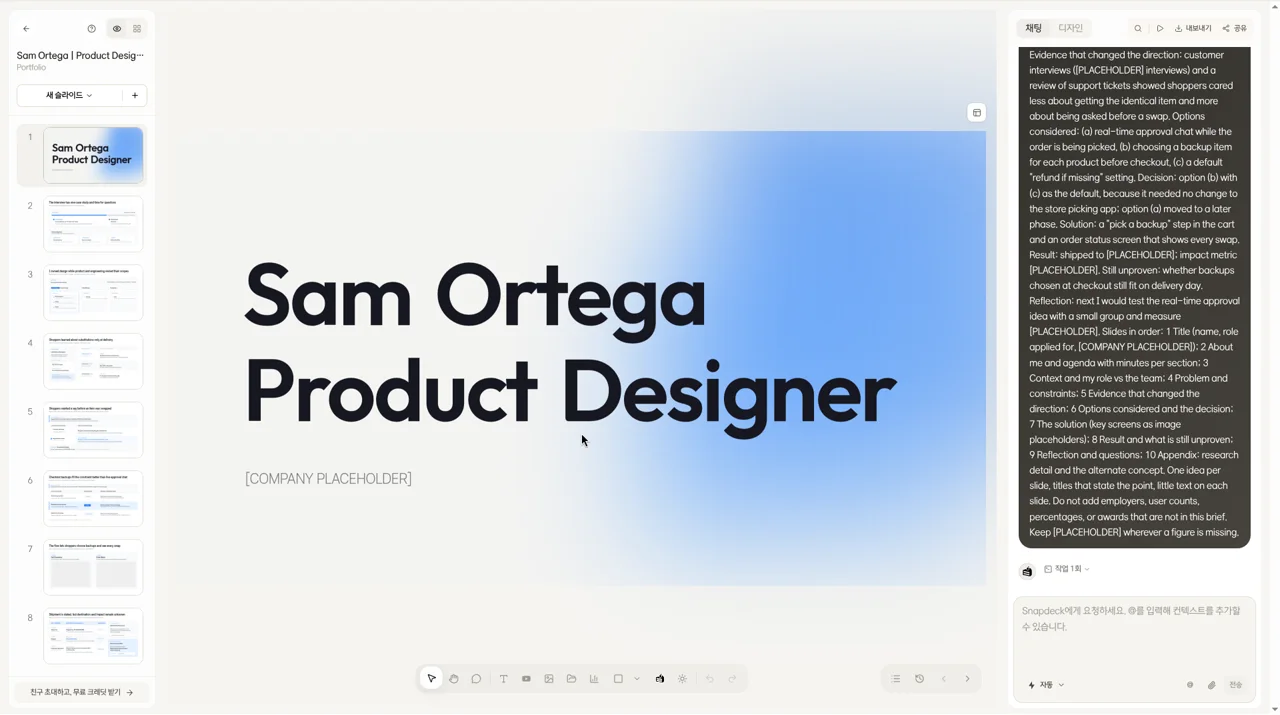
The outline was clean, but the designed slides added wording that was not in the brief. This is what we found when we read all 10 slides against the prompt:
- Slide 3: "(Candidate)" next to Product Designer, and "qualitative and quantitative findings", though the brief mentions no quantitative research
- Slide 5: "algorithmic identical-item matching", a line saying that asking first "established trust", and a bracketed Korean note, "[보완 필요 …]" ("needs filling"), around the interview count
- Slide 6: "zero immediate changes" and "Guarantees order completion…", both stronger than the brief, which only says the option needed no change to the picking app
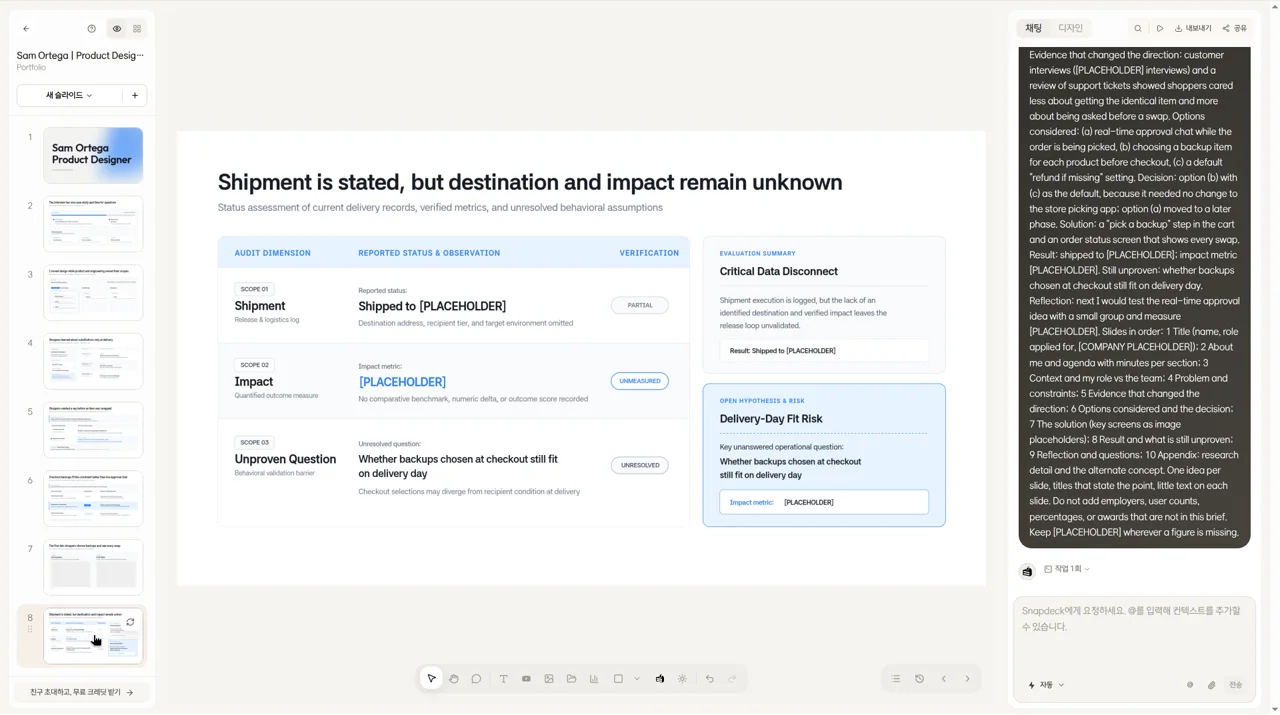
- Slide 8: "recipient tier", "release loop", and a box titled "Critical Data Disconnect"
- Slide 10: "resolved shopper anxiety upfront", an outcome the brief never claims
The other slides added subtitles that describe the content but no new claims. Slide 7 has two empty image areas, Cart Experience and Order Status, for your real screens. In an interview, any line on a slide can turn into a question, so delete or rewrite whatever you cannot back up. We left these lines in the example deck so you can see them, and changed only one title.
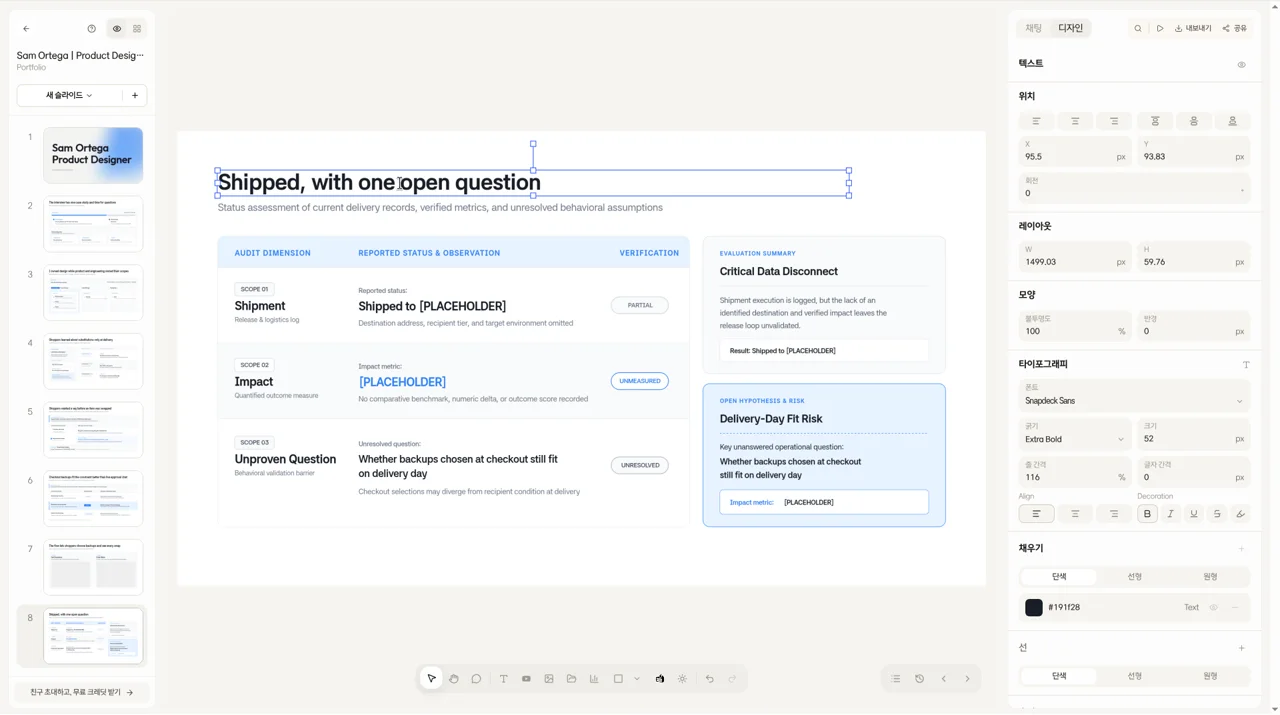
To edit text, double-click it on the canvas and type. Slide 8's first title was "Shipment is stated, but destination and impact remain unknown". We shortened it to "Shipped, with one open question".
6. Export a PDF backup and share a link
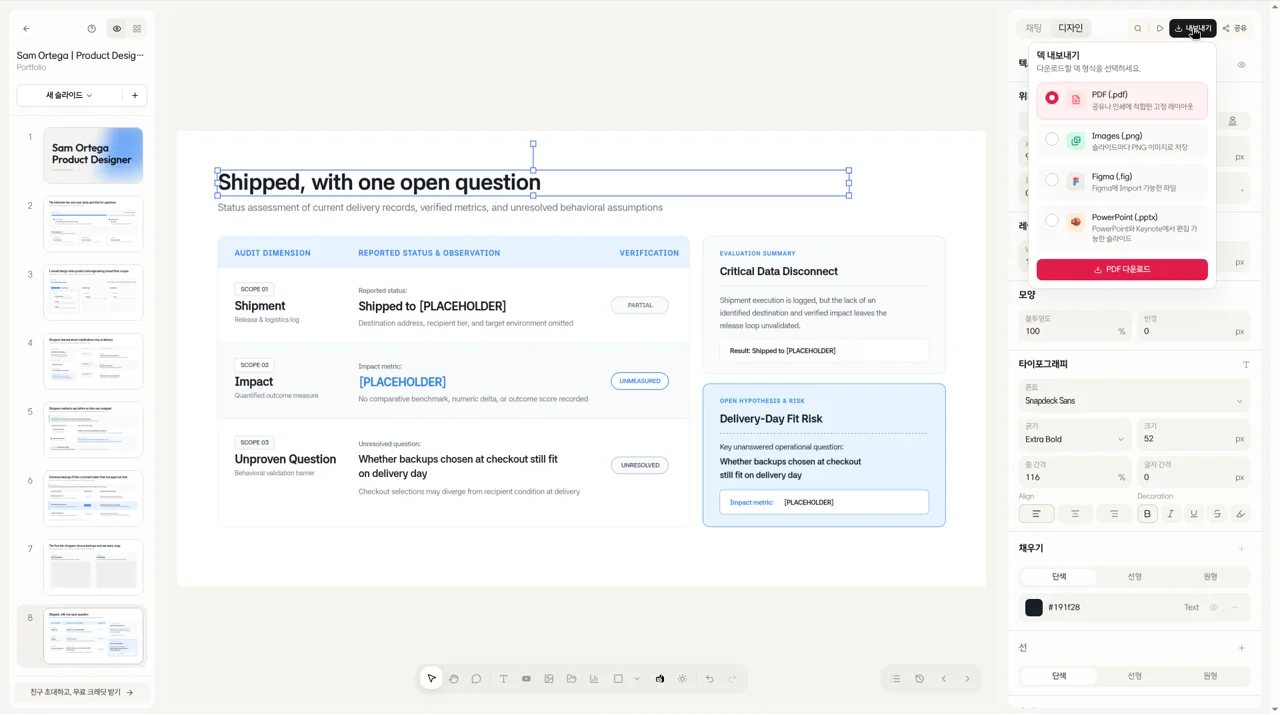
Export in the top right offers PDF (.pdf), Images (.png), Figma (.fig), and PowerPoint (.pptx). PDF and PNG are on every plan; PowerPoint and Figma are Pro. Keep a PDF on your computer in case the screen share or the connection fails (The Crit recommends a local copy and a PDF backup).
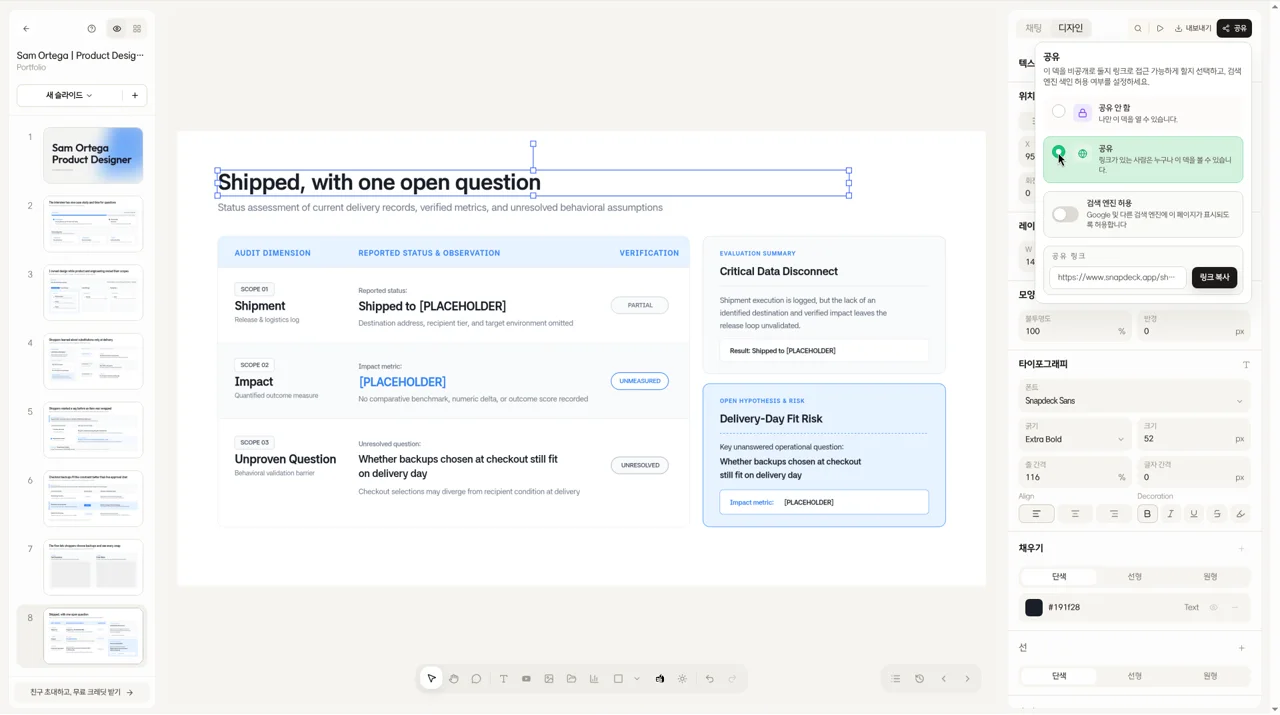
Share starts as not shared. Switch it to shared so anyone with the link can view the deck. Search engine indexing is a separate toggle and stays off. Then copy the link. The example deck above is shared this way.
Applying it: a run sheet that fits the slot
Employers publish the slot, not minutes per slide. Here are three published formats:
| Employer (source) | Format | Timing it states |
|---|---|---|
| CZI | 45-minute presentation, two case studies | Intro 5 min · case studies 35 min · Q&A 5 min |
| OpenTable | Two projects | About 45 min presenting + 15 min discussion · "Who I am" max 2 min · 20 min per case study |
| Nava | One hour, two to three projects | 40–45 min presenting · 15–20 min questions · time check at 30 min |
None of them goes down to the slide, so here is a split for the example brief (20 minutes presenting, 10 minutes of questions). It takes three anchors from the table: a short intro, close to OpenTable's 2-minute cap; 20 minutes for one case study, as in OpenTable's outline; and questions kept outside the presenting time, as all three do. The minutes per slide inside the case study are our split for this example, not research.
| Slide | In the example deck | Core path (min) | Done by (min) | Short path (min) |
|---|---|---|---|---|
| 1 | Title | 0.5 | 0.5 | 0.5 |
| 2 | About me and agenda | 1.5 | 2 | — |
| 3 | Context and my role vs the team | 2 | 4 | 1.5 |
| 4 | Problem and constraints | 2 | 6 | — |
| 5 | Evidence that changed the direction | 3 | 9 | — |
| 6 | Options and the decision | 4 | 13 | 4 |
| 7 | The solution (key screens) | 3 | 16 | — |
| 8 | Result and what is still unproven | 2 | 18 | 2 |
| 9 | Reflection and questions | 2 | 20 | 2 |
| 10 | Appendix (after the closing slide) | only if asked | — | only if asked |
| Total | 20 | 10 |
How to use it:
- Rehearse against "Done by". Nava gives candidates a time check at 30 minutes. Give yourself one at the end of slide 6: if you get there well past minute 13, skip slide 7 and go straight to 8 and 9.
- Short path. The Crit's short path is "orientation, one decisive moment, result, and reflection". In this deck that is slides 1 and 3, slide 6, slide 8, and slide 9: 10 minutes.
- Appendix after the close. The Crit suggests putting appendix material after the closing slide. Slide 10 stays hidden unless someone asks about the research or the chat idea.
- Other slots. Subtract the question time the brief states, keep the intro short, and give the decision slide the most time. With CZI's 35 minutes for two case studies, each one gets roughly half.
The decision slide gets the longest budget because it shows the options, the pick, and the reason in one place:
Three habits for the room:
- Keep the agenda visible and number your slides when it helps, so you can find your place after an interruption (The Crit).
- Put little text on each slide and make screens large enough to read (OpenTable).
- If confidentiality blocks an answer, name that boundary and offer a safe parallel example (The Crit).
Steps at a glance
- Write a case-study brief from the interview brief; leave missing figures as
[PLACEHOLDER]. - Paste it into the home prompt; set PPT 16:9 and 10 slides, and turn off Web Research.
- Choose the Portfolio style and the Light theme.
- On the outline, check your role versus the team's and that no numbers were invented.
- Generate, read every slide against the brief, and delete or rewrite lines you cannot back up.
- Export a PDF backup (PowerPoint and Figma on Pro) or share a link, then rehearse with the run sheet.
FAQ
How long is a portfolio presentation in an interview?
It depends on the brief. Published examples: CZI asks for a 45-minute presentation (5 intro, 35 case studies, 5 Q&A), OpenTable about 45 minutes plus 15 of discussion, and Nava 40–45 minutes plus 15–20 of questions. Ask the recruiter for the exact slot and prepare a short path.
Should I present from my portfolio website instead of a deck?
CZI and OpenTable both ask for a presentation deck rather than your website or design files.
Can I export the deck to PowerPoint or Figma?
Yes. PDF and PNG are on every plan; PowerPoint (.pptx) and Figma (.fig) are Pro.
Keep reading
- Starting from a resume? Turn a Resume into a Portfolio Deck with AI
- What the style does: Portfolio — Show the Work Behind the Outcome
- Handing slides to a designer: Figma (.fig) Export in Snapdeck